Imagine your brand landing in millions of inboxes—seamlessly integrated, engaging, and non-disruptive. That’s the power of a native newsletter ad. And with Paved’s Newsletter Ad Network, you can target the right audience with precision.
See how brands like Figo, Deel, and Dropbox use newsletter ads to drive engagement and conversions. Learn their strategies, then follow our step-by-step guide to crafting high-performing ads and optimizing your campaign for success.
What is a native newsletter ad?
A native newsletter ad is a pay-per-click (PPC) advertisement that appears in popular email newsletters.
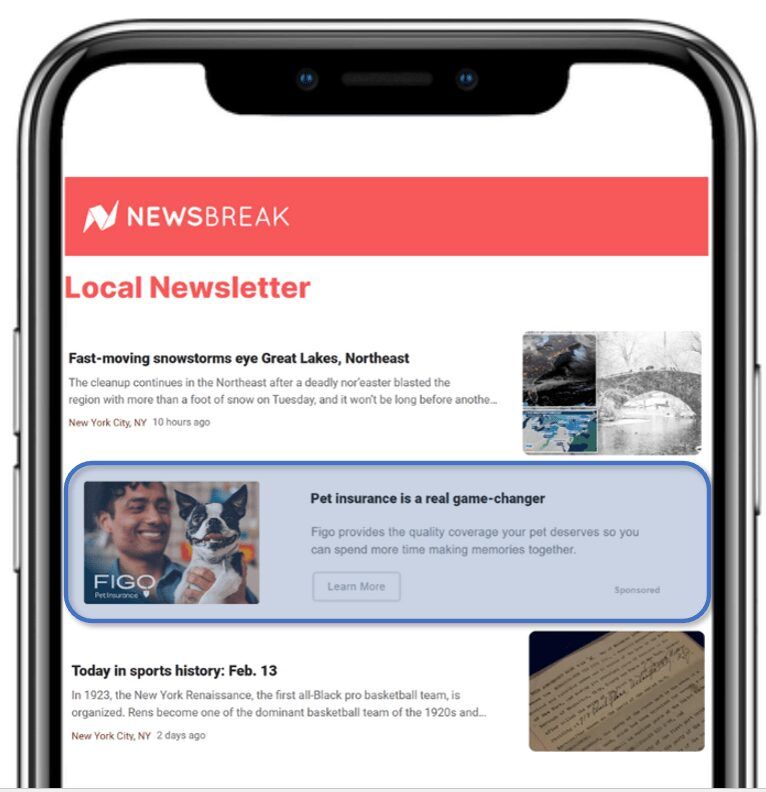
Email ads are native, which means they blend in seamlessly with the surrounding newsletter. This unobtrusive advertising style resonates with audiences and helps lift purchase intent by up to 18%, according to a study by Sharethrough.
What is the Paved Ad Network?
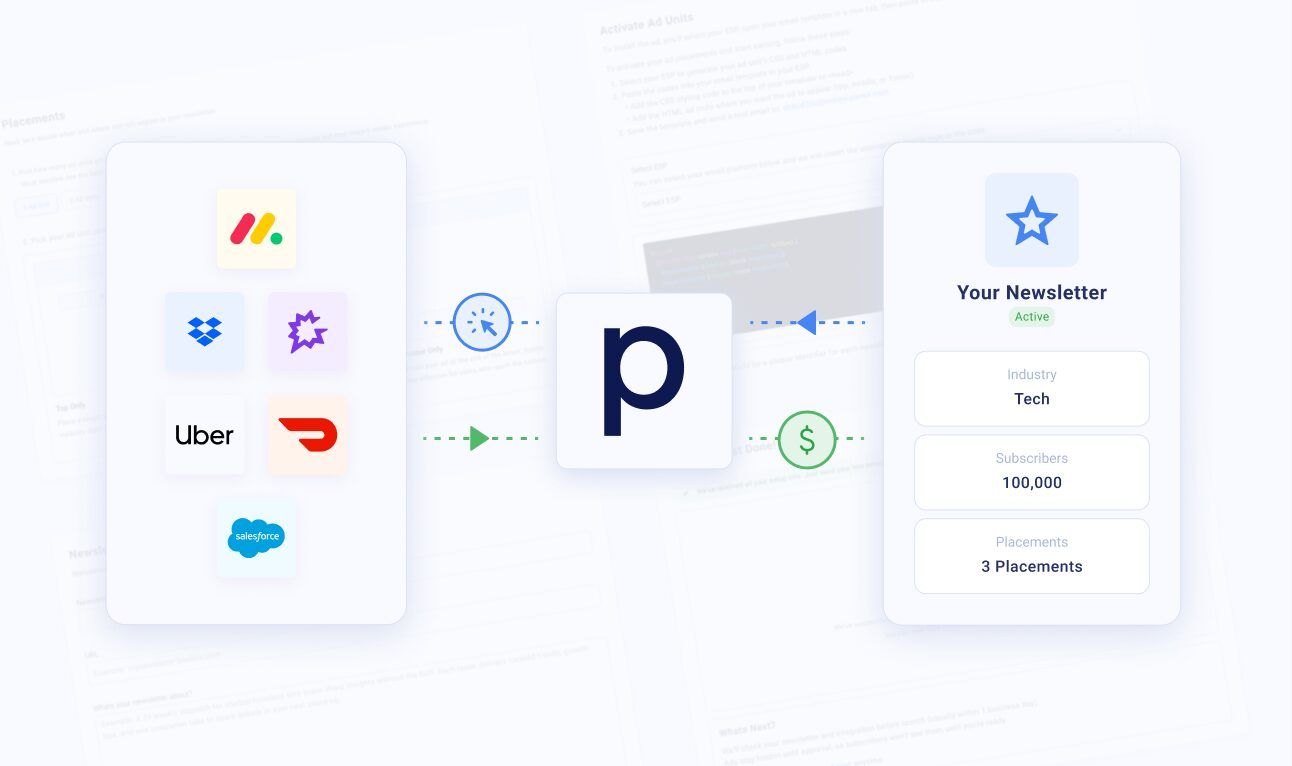
Paved’s Newsletter Ad Network is like social media advertising, but it targets people through email newsletters instead of social feeds. Paved’s PPC ads are automatically shown to subscribers who match the advertiser’s customer profile.
Paved’s powerful audience targeting ensures that ads will only appear if they’re relevant to a subscriber. This empowers marketers to create just one campaign and automatically display it in dozens of unique newsletters, hyper-targeting it to the right people.
Below, we’ll share some of our favorite real-world examples of newsletter ads on the Paved Ad Network. Then, we’ll go through some of the best tips to help you optimize your strategy and teach you how to run newsletter ads like a pro.
Build your newsletter ad like the pros (with 5 examples)
The reason why email advertising works is simple—email subscribers are active and engaged. Many users have gone ad blind to display ads and scroll past in-feed ads.
Email is another story. According to HubSpot, over half of Americans check email more than 10 times daily, and they report that it's their preferred way to hear from brands.
Plus, the inbox reflects topics that people are passionate about, not just whatever random LinkedIn post they liked 5 years ago. People who read a nutrition newsletter are likely to be interested in food prep and health, making them a good target for brands in the wellness niche.
If you’re looking for some inspiration, here are a few of our favorite examples of newsletter ad campaigns from the Paved Ad Network, advertising everything from socks to SaaS.
Figo
- •Advertiser: Figo, a pet insurance company
- •Links to:
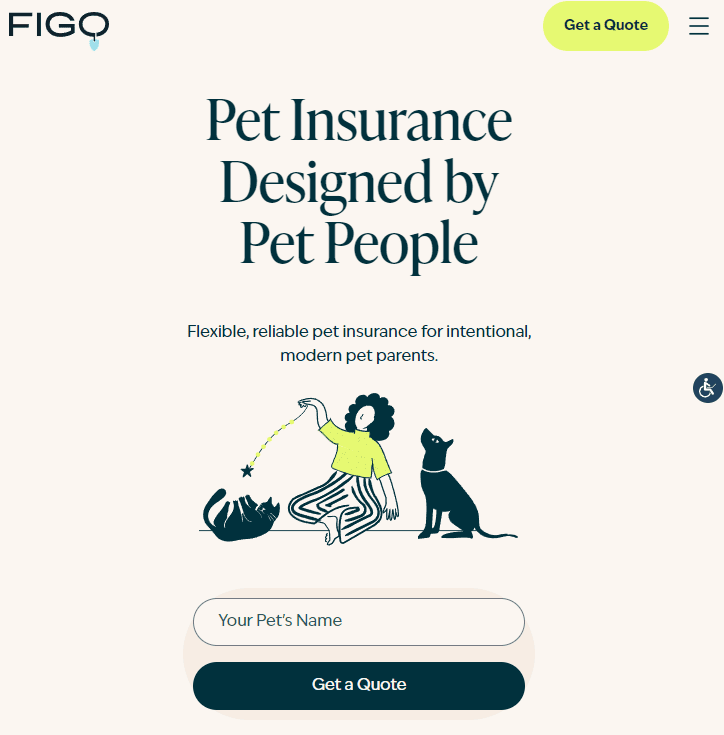
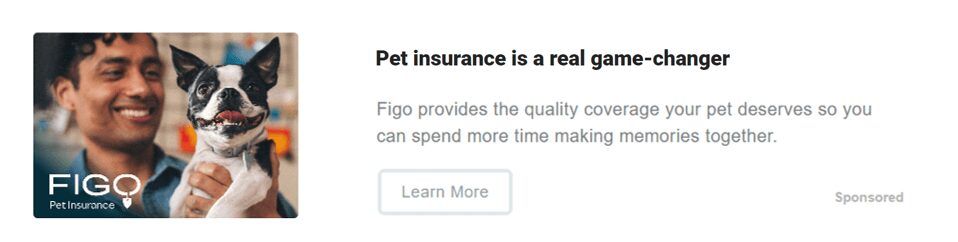
Imagine getting featured in huge newsletters like MSNBC Daily or Newsbreak, for a fraction of the cost. That’s exactly what Figo Pet Insurance did with their campaign on the Paved Ad Network.
Figo’s Ad Network campaign is successful due to several elements. First, this ad is appealing to the eye. It features an engaging featured image, an eye-catching title, a clear description, and a CTA. The landing page is a lead magnet with a user-friendly form.
Along with all the visual appeal, the best part of the ad is hidden from sight: interest-based targeting. Obviously, Figo didn’t want to show the ad to non-pet owners. That’s where Paved’s powerful contextual targeting came in. Precise targeting helped Figo’s ad convert dozens of new leads who were interested in pet care and insurance topics.
Postman
- •Advertiser: Postman, an API platform for developers
- •Links to:
Even if a reader hasn’t heard of your brand before, the fact that your message comes from a source they trust helps boost your credibility. On social media, it often takes multiple interactions to attain that kind of brand affinity that encourages conversions.
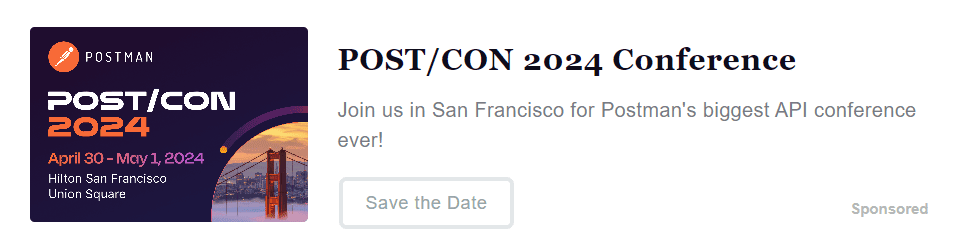
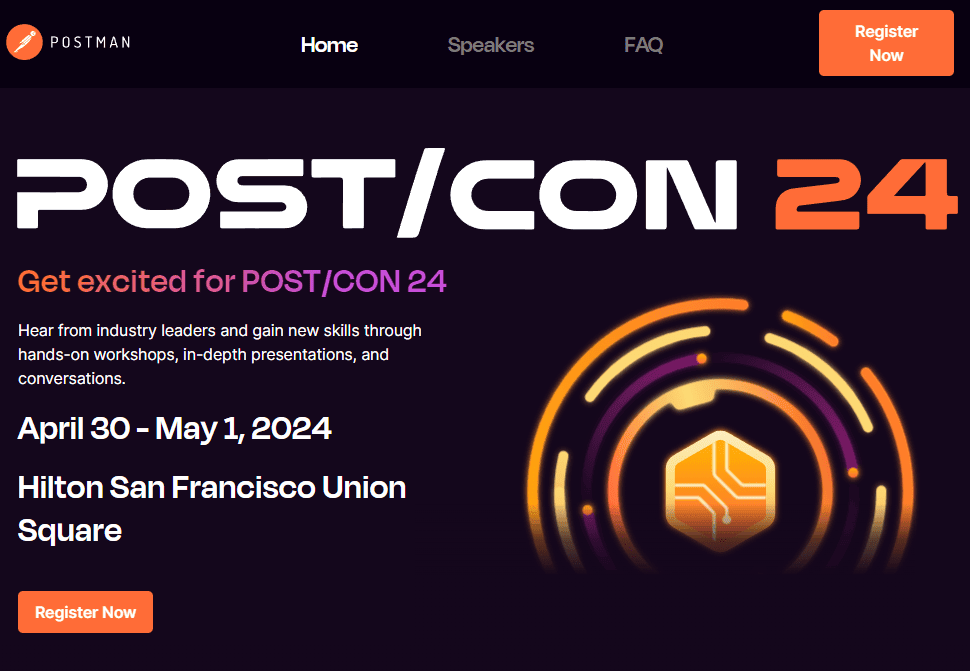
Not so with newsletter ads. With one campaign, Postman advertised their event to thousands of backend developers across popular publications.
This campaign was tailored for event signups. So far, it has generated over two million impressions and hundreds of landing page clicks, with a CPC far below that of other ad platforms.
Deel
- •Advertiser: Deel, a payroll and personnel management tool for HR professionals
- •Links to:
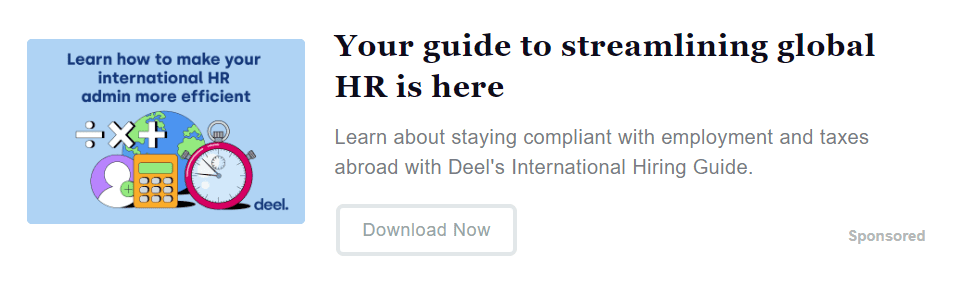
Next up is a newsletter ad from Deel, an HR platform that helps companies manage payroll and compliance.
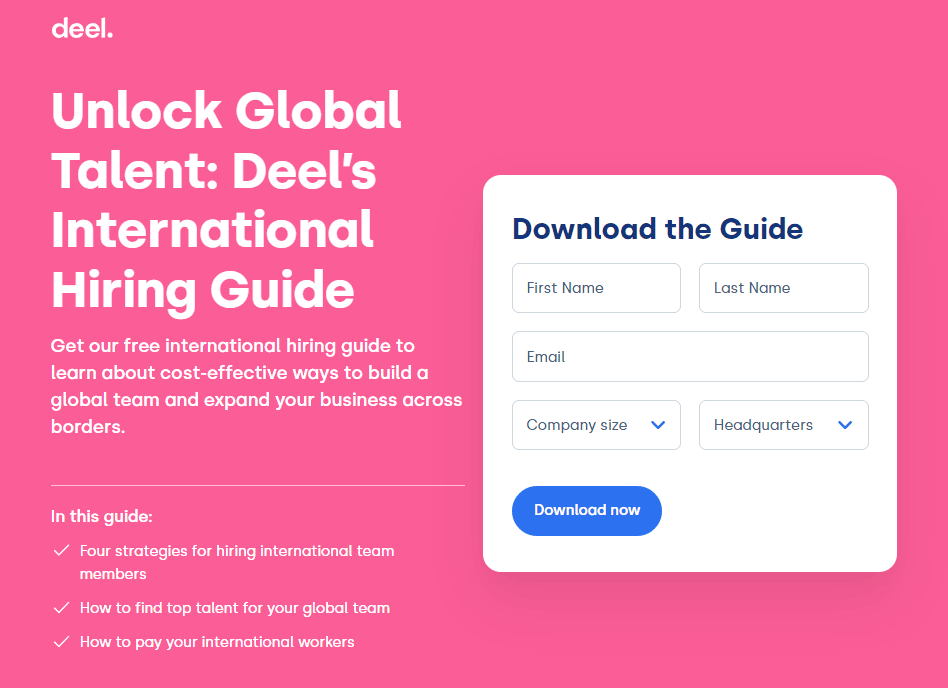
As you can see from the image and the headline, the ad is designed for HR professionals. The copy on the ad and the landing page effectively speaks to HR pros in their own language, adding authority to the campaign.
The ad directs people to a landing page where they can download a guide to global HR. An irresistible offer like this is a great way to attract qualified leads at a low cost per click.
Also, notice how few distractions there are on this landing page. We love how Deel kept it simple, with a user-friendly form and no extraneous links.
Dropbox DocSend
- •Advertiser: DocSend, Dropbox’s SaaS tool for secure document sharing and feedback
- •Links to:
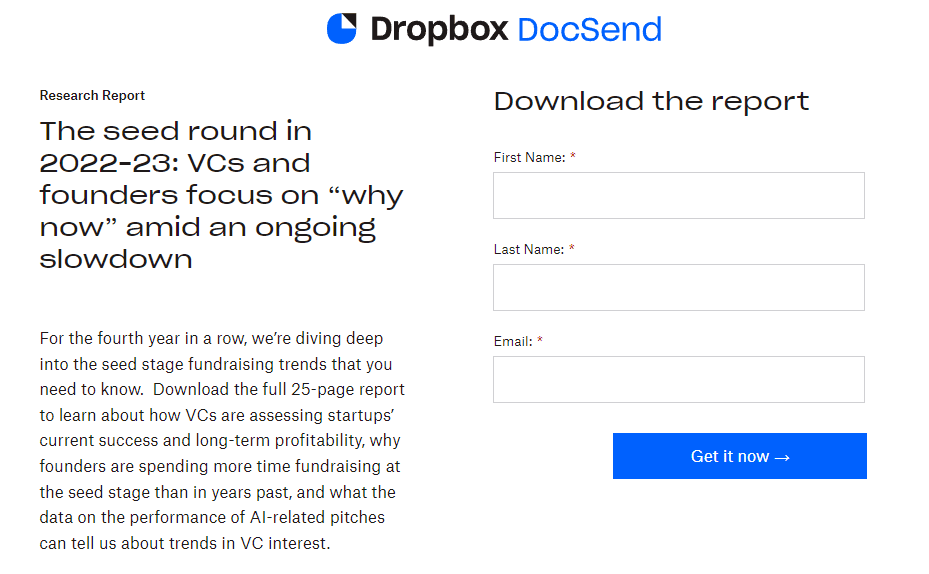
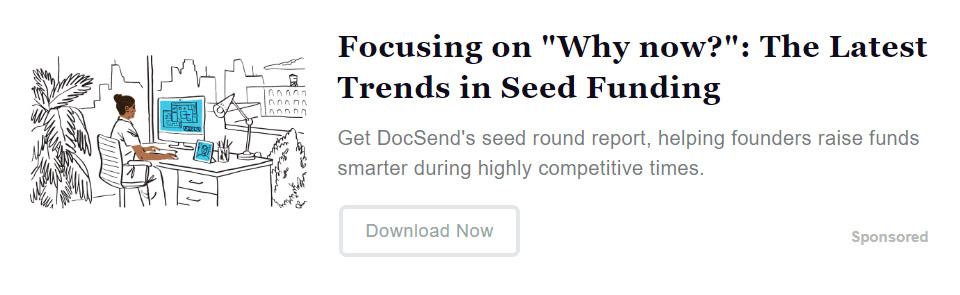
Paved's native ads give you even more flexibility than a typical email sponsorship. Besides targeting based on an email list's interests and demographics, you can target individuals.
For example, this ad from Dropbox DocSend focused on startup execs and directors, and it segmented even further with smart contextual targeting. Dropbox did a great job here by offering a solid value proposition to encourage clicks. In this case, they offered a free 25-page deep dive into its target industry. So far, the ad has garnered thousands of clicks from qualified leads who were interested in Dropbox’s funding report.
Morning Brew
- •Advertiser: Morning Brew, one of the world's most successful email newsletters

- •Links to:
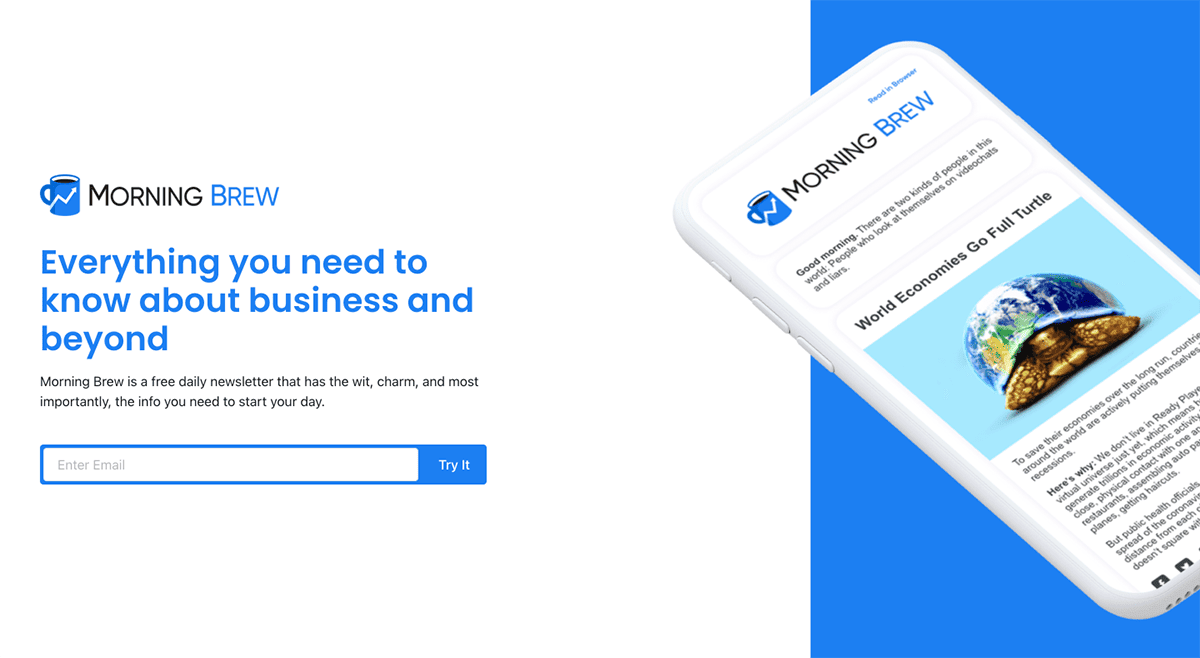
If you're in the newsletter industry, you've probably heard of Morning Brew. It's one of the biggest newsletters in the world, and newsletter ads like this one helped them get there.
Harnessing the power of the Paved Ad Network for list growth, they’ve mastered the art of newsletter ads to boost their subscriber base. With precision-targeted ads sprinkled across a variety of newsletters, they connect with readers primed for their content.
By automating the ad-buying process and targeting specific audiences, they efficiently attract new readers and encourage them to sign up for the newsletter. This strategy allowed for a scalable and cost-effective way to increase their list size and reach a wider audience.
Sock Geeks
- •Advertiser: Sock Geeks, a DTC brand from the UK
- •Links to:
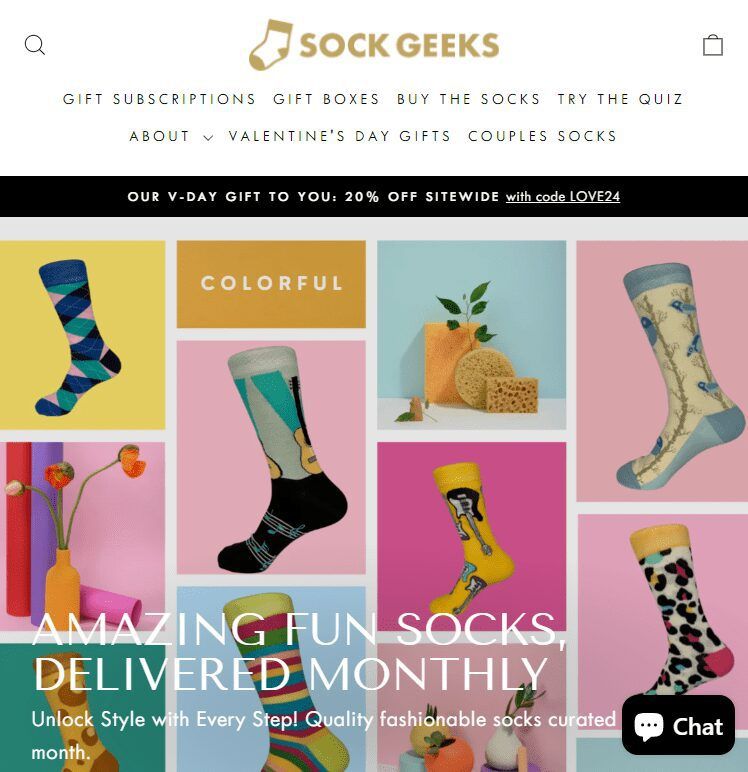
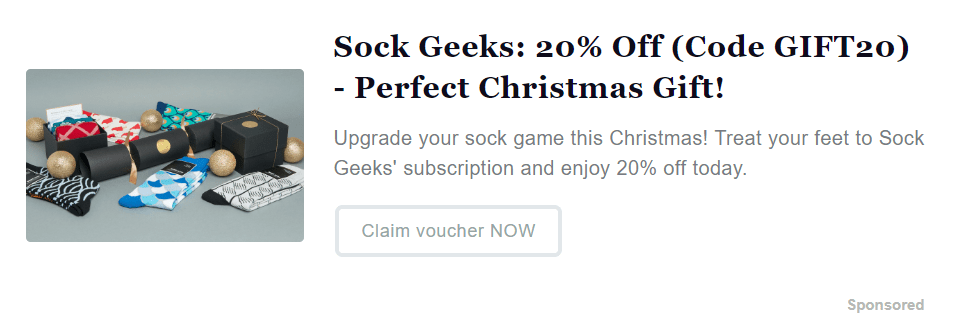
Finally, it’s important to highlight how newsletter ads can be powerful for both D2C (direct-to-consumer) and BTC (business-to-consumer) brands. This campaign from Sock Geeks, an English DTC brand, shows the potential of consumer-focused targeting on the Paved Ad Network.
With contextual targeting, Sock Geeks identified people based on the online content they’d engaged with in the past 30 days. In this case, this ad reached people in the UK interested in funky socks. The ad’s strong CTA directed subscribers to a colorful landing page where they could claim a 20% off code.
To supercharge this ad, we’d take contextual targeting one step further. By adding competitor websites to the Contextual Targeting field, Sock Geeks can win over customers who’ve engaged with the competition (such as Swanky Socks, SocksRock, or London Sock Company).
Create a newsletter ad in 5 minutes or less
As you can see from the examples, there are a lot of different ways to design an effective newsletter ad campaign. So, if you’re ready to get started with your newsletter ads strategy, read on for a step-by-step guide on how to run ads on Paved's Newsletter Ad Network.
1. Create a Paved account
Before you do anything, you’ll need to go to Paved.com and apply for a free advertiser account. Paved will ask for some quick contact information and your goals for newsletter campaigns. Account review usually takes about 24 hours.
After you’re accepted to the platform, it’s time to set up your first native newsletter ad!
Tip: We recommend setting up conversion tracking so you can track ad performance, including clicks, signups, downloads, and more. Learn how
2. Set up audience targeting
The first step in building out a strong email campaign is defining your audience.
Depending on what you’re promoting, you start by picking either Consumer Audiences or Professional Audiences.
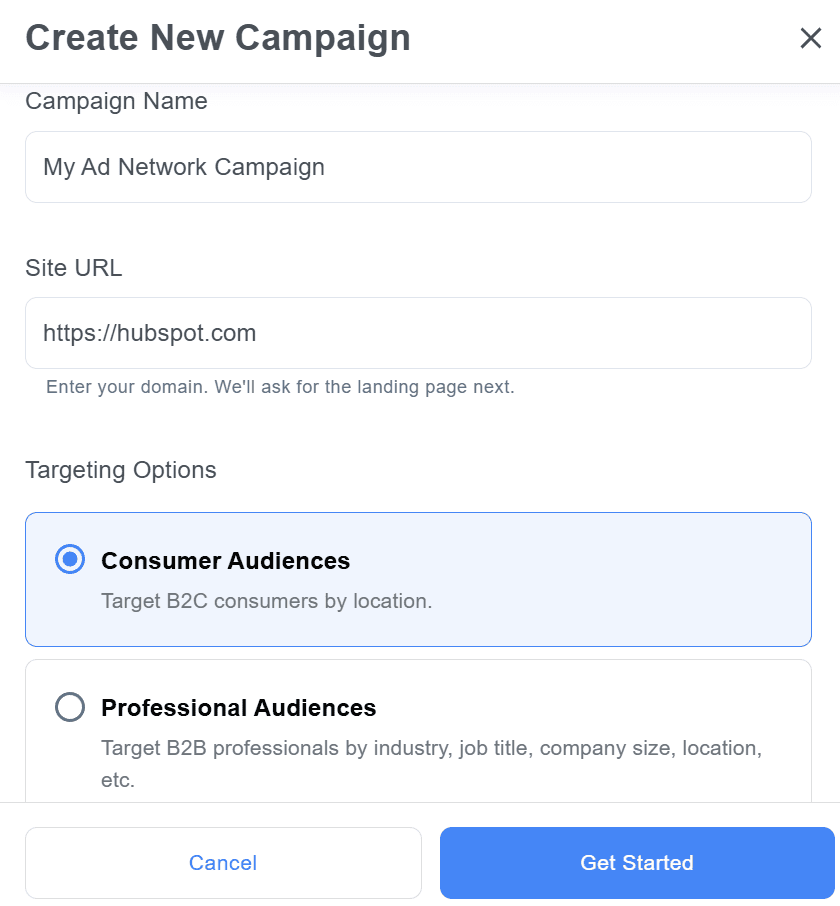
Choose Consumer Audiences if you're selling a product directly to potential consumers. Consumer audience targeting is great for direct-to-consumer brands (think Lume, Allbirds, or The Farmer’s Dog) and B2C brands (like Disney, Amazon, Apple, Coke, etc).
Choose Professional Audiences if you're advertising something for a professional audience, like a SaaS product or a B2B brand. Professional targeting is best for B2B brands or SaaS companies of all sizes—like Shopify, Slack, Babbel, Dropbox, or SEMRush.
After you choose your targeting preference, you can segment subscribers based on their location. You can also leverage robust professional data, such as company size, industry, desired job titles, and even company seniority.
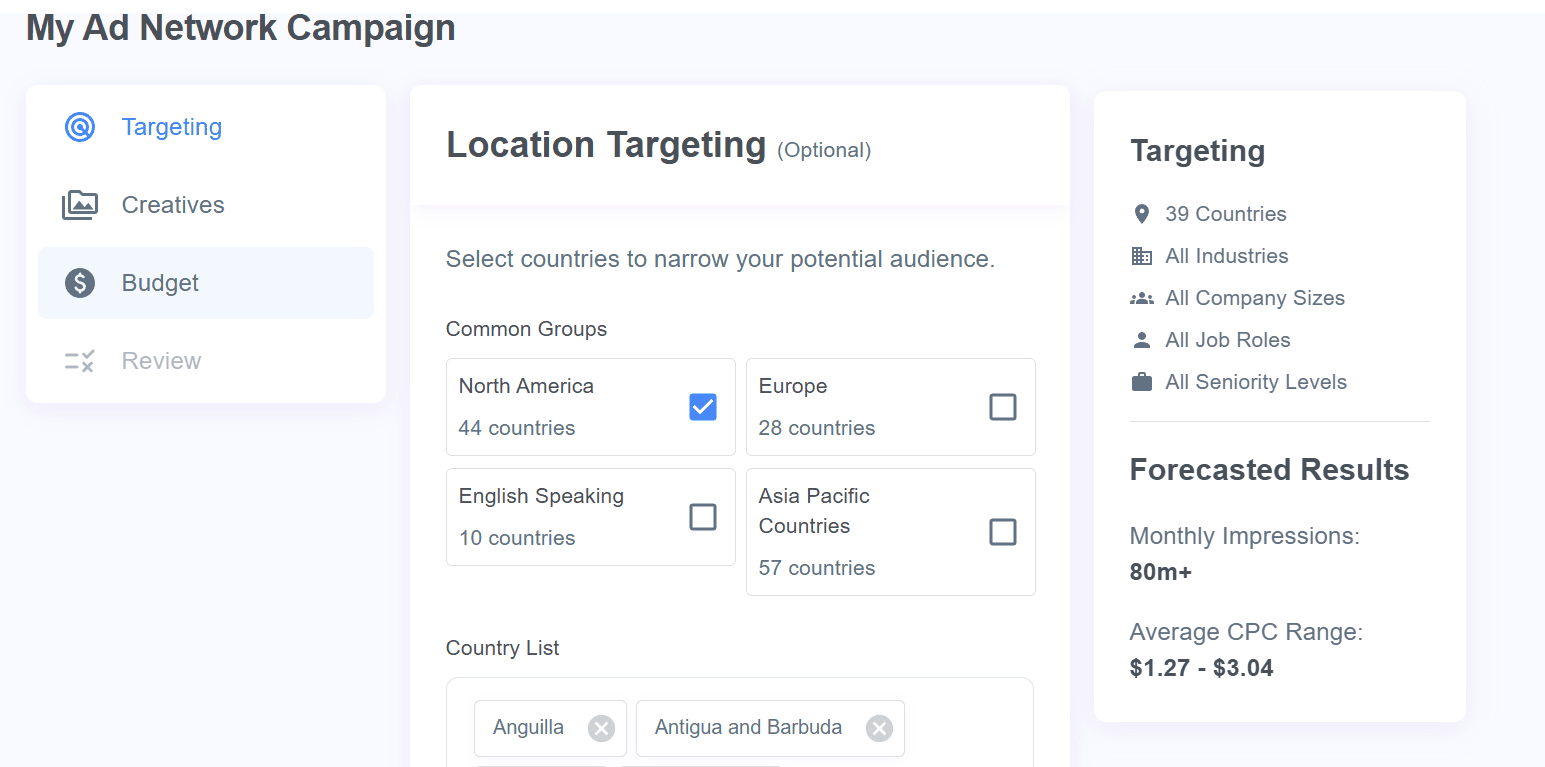
Tip: Learn more in our guide, Targeting on The Paved Ad Network
3. Upload creative assets
Next, build out the creative assets for your ad based on what you know about your customers—their interests, the problem you can solve for them, and the messaging that would likely resonate with them.
Paved automatically scans for any ads you’ve already run on Google or Facebook, so you can re-use those right away.
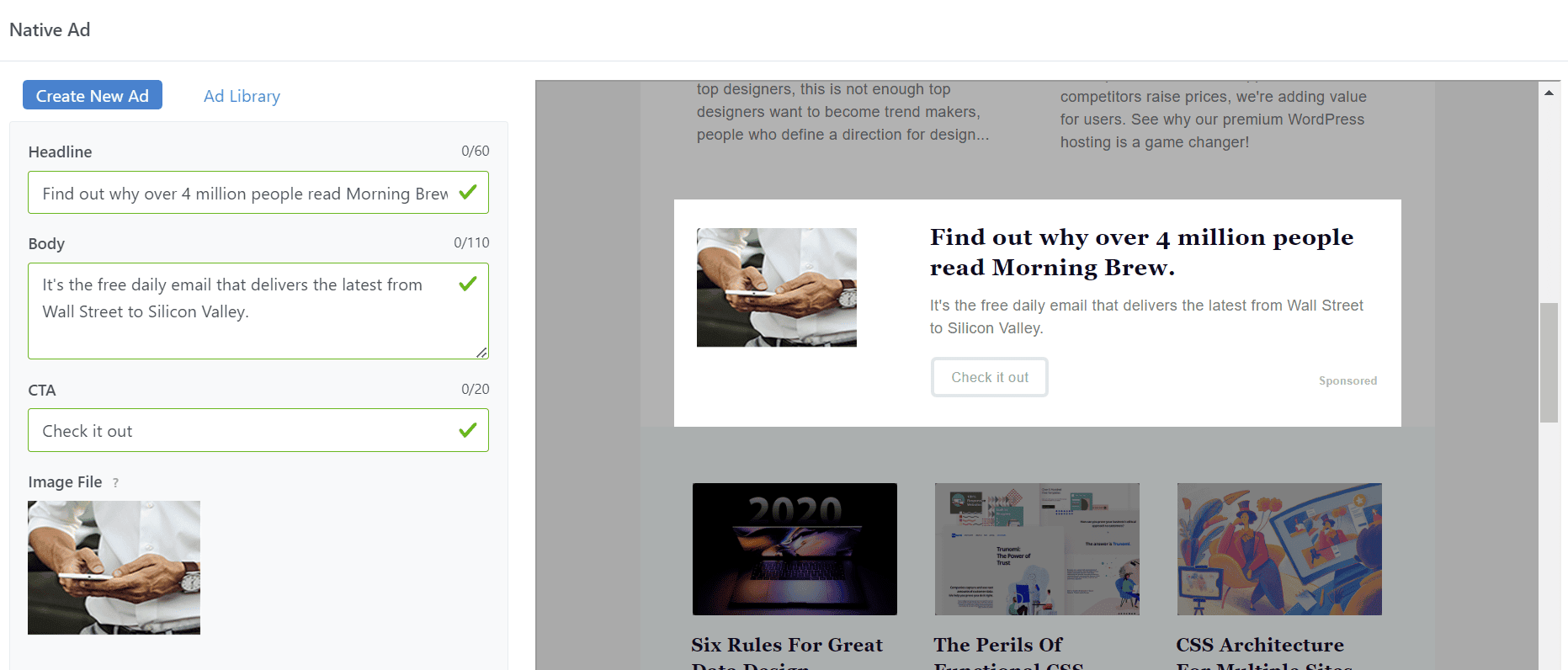
You can also set up new ad creative with our easy Ad Builder. When you’re ready, Paved creates a native ad that fits in with the design of each specific newsletter.
Ad creatives are one of the biggest contributors to the click-through rate (CTR). When designing your ad, focus on creating a few key components:
- •Clean, attractive image
- •Catchy headline
- •Engaging, typo-free description to draw in readers
- •Clear CTA
We recommend designing at least 3-5 variants of your creative so you can test what your audience responds to.
Tip: Learn more in our guide, Best Practices for Ad Creative
4. Set your daily budget
Don’t struggle with unpredictable results—set your daily pay per click maximum budget.
Additionally, you'll set the run dates for your campaign at this step. We recommend running each campaign for at least a week, but ideally more than a month, to allow your ad to appear in the newsletters that are sent daily, weekly, every other week, and monthly.
If you’re concerned that ROI might fall as users are exposed to your ad multiple times, set a frequency cap. This sets how often a given user will see your ad in a set period.
5. Review and launch
The final step is ad review, payment, and launch. After you enter your credit card information and launch the ad, Paved will start distributing it in different newsletters. Remember, you’ll only be charged for real human clicks, and we'll never exceed the daily spending limit you set.
Results will come in as the different email newsletters are sent and users matching your targeting criteria open their emails. You can create as many campaigns and as many ad variations as you want and then track by impressions, clicks, CTR, or spending.
Newsletter ad optimization checklist
For solid results, run your Ad Network campaign for at least 3-4 weeks. Then, optimize your campaign by analyzing the results and making data-driven updates. Optimization refines your campaign based on audience preferences, allowing you to allocate more budget to high-performing newsletters, remove underperformers, and update your targeting and creative assets.
Use our checklist to ensure every aspect of your campaign is optimized.
☐ Examine your audience targeting.
Are you targeting a broad enough audience? We recommend starting with a bare minimum of 50,000 forecasted monthly impressions.
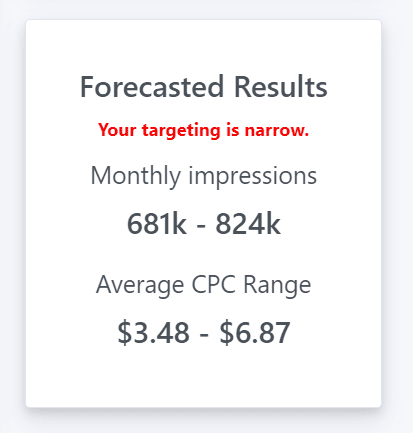
The greater your reach across the network, the greater your potential results. Depending on the product or service you are offering, it may make sense to experiment with broad vs narrow targeting. You may want to start by selecting fewer options to assess results, and then narrow your targeting criteria over time.
If your product or service has broad appeal, starting with a broader target could drive faster campaign results. However, if you have a super-specific product you want to sell to a tiny (but lucrative) niche, a narrow audience could serve your campaign well.
☐ Focus on your image.
How does your ad image look? You should use a bold, clear image that will look great in small or large formats.
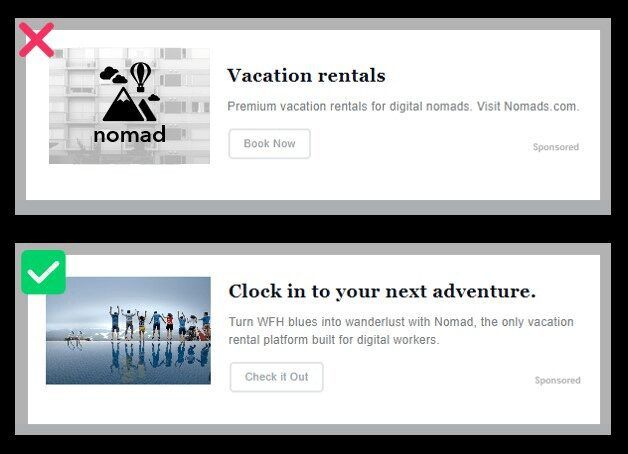
We’ll resize it for individual newsletters, so you’ll want to make sure it’s still legible in small sizes. Pro tip: images of people or lifestyle photos tend to perform better.
☐ Simplify your landing page and match it to your ad.
Is your landing page visually appealing and to the point? Most people tend to forget that the landing page, or destination URL, is an essential part of a campaign. Take the time to match it to your ad and keep the page free of unnecessary distractions.
☐ Adjust your budget.
Are you bidding enough per click? For higher-value sales and niche audiences (like CEOs and managers), you’ll want to increase the bid--$3 per click is a good starting point. Otherwise, you might get outbid by other advertisers for the audience.
☐ Extend your runtime.
To get a sense of your best-performing audiences and ads on the Paved Ad Network, you need to run a campaign for a minimum of 7 days, and ideally- more than a month. This allows your ad to appear in newsletters that are sent daily, weekly, every other week, or monthly.
When targeting narrower demographics, try to increase the length of your campaign accordingly. Otherwise, you might miss out on top newsletters that go out monthly or quarterly.
☐ A/B test to see what works.
Did you know you can create multiple ad variants within each campaign? This means you can test different copy and creative options within the same targeting criteria.
You can also duplicate campaigns and change the targeting criteria while keeping the same ads. Ultimately, this will help you make data-driven decisions and invest more of your ad budget into the top-performing variants.
Try a newsletter ad network the easy way
Native newsletter advertising is a secret weapon for successful brands. It sends your message straight to the reader’s inbox and improves user experience with accurate targeting and seamless integration.
Paved Ad Network streamlines newsletter ads, letting brands run campaigns like they would on social media or PPC platforms. This method targets specific readers across various publications, amplifying your brand and reaching millions in one go.
Ready to explore newsletter advertising? Join Paved and gain free access to tools for top-notch ads. Sign up now for premium features like the Paved Marketplace, Ad Network, and real-time tracking for all your campaigns.
Sponsor newsletters with Paved to gain more qualified leads
Join Paved to browse 2,000+ newsletters and reach over 253+ million subscribers across every niche.