
Did you know you can now send newsletters through WordPress.com for free and without a plugin? I didn’t either, but their tool, WordPress Newsletter, quietly launched a few years ago.
Now, with revamped importing and support for paid subscriptions, it's aiming to win over creators from platforms like Substack.
As someone who’s always testing tools for email publishing, I wanted to see how it compares. Let's take a look at the new WordPress.com Newsletter tool.
Newsletter platforms: a brief overview
In 2025, email newsletters are booming.
90% of Americans say they subscribe to at least one. With an endless stream of content fighting for clicks, it’s tough for media outlets to break through and earn attention. According to the Reuters Institute, only 26% of Americans trust the news.
As traditional outlets shrink, veteran journalists and indie writers are skipping the middleman and going straight to readers via email on popular platforms like Substack.
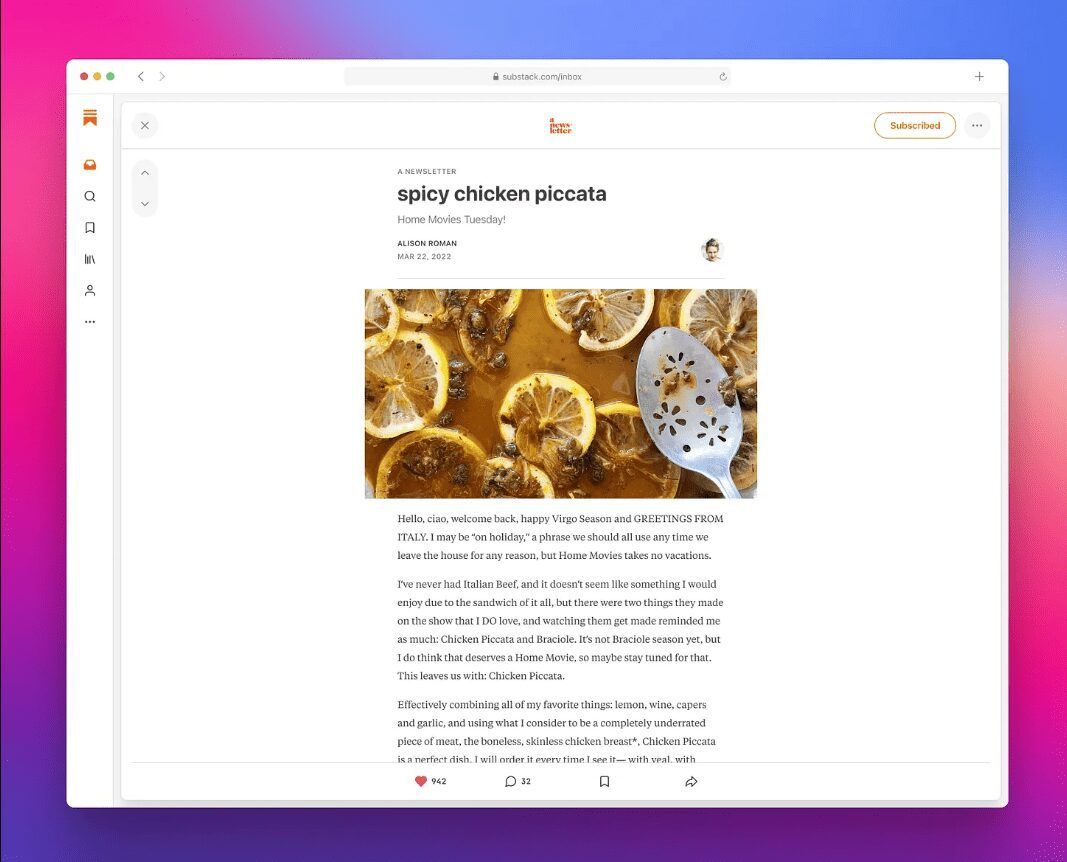
Substack, launched in 2017, is a no-frills email platform used by 50,000+ publishers. Substack is free to use, but once publishers start charging for subscriptions, Substack takes a 10% cut.
Lately, many American journalists like Dan Rather and Jim Acosta have fled traditional media in favor of Substack. Newsweek reports that the current climate is "forcing publishers, for the first time, to want complete ownership of their work and the complete ability to reach people." As of early 2025, Substack authors have won over 5 million paid subscribers.
This shift to the inbox matters for brands, creators, and publishers. Newsletters are a rare space where you own the relationship with your audience and the revenue without worrying about social media algorithms, anonymous trolls, or doomscrolling. It’s a direct, trusted connection in the inbox.
Nowadays, hundreds of newsletter platforms (also known as email service providers, or ESPs) are battling for attention and inbox space. While all ESPs send emails, they differ in cost, flexibility, features, and, importantly, who controls your data. Mailchimp still leads in market share, but challengers like Substack, Kit, and Beehiiv are on the rise, offering creator-friendly tools, paid subscriptions, and growth features.
And now, even WordPress.com has entered the newsletter race.
What is WordPress Newsletter?
Given WordPress.com’s sizable footprint — WordPress powers 43% of the web, including its open source version — its shift into the newsletters market is significant.
-TechCrunch
WordPress.com powers 43% of the web, making it the largest blogging platform. In 2022, it introduced its Newsletter tool, enabling writers to automatically send blog posts via email and connect with their audiences.
In 2023, WordPress added support for paid newsletter subscriptions and a more robust toolset. Recently, it streamlined its import process to make switching from Substack easier.
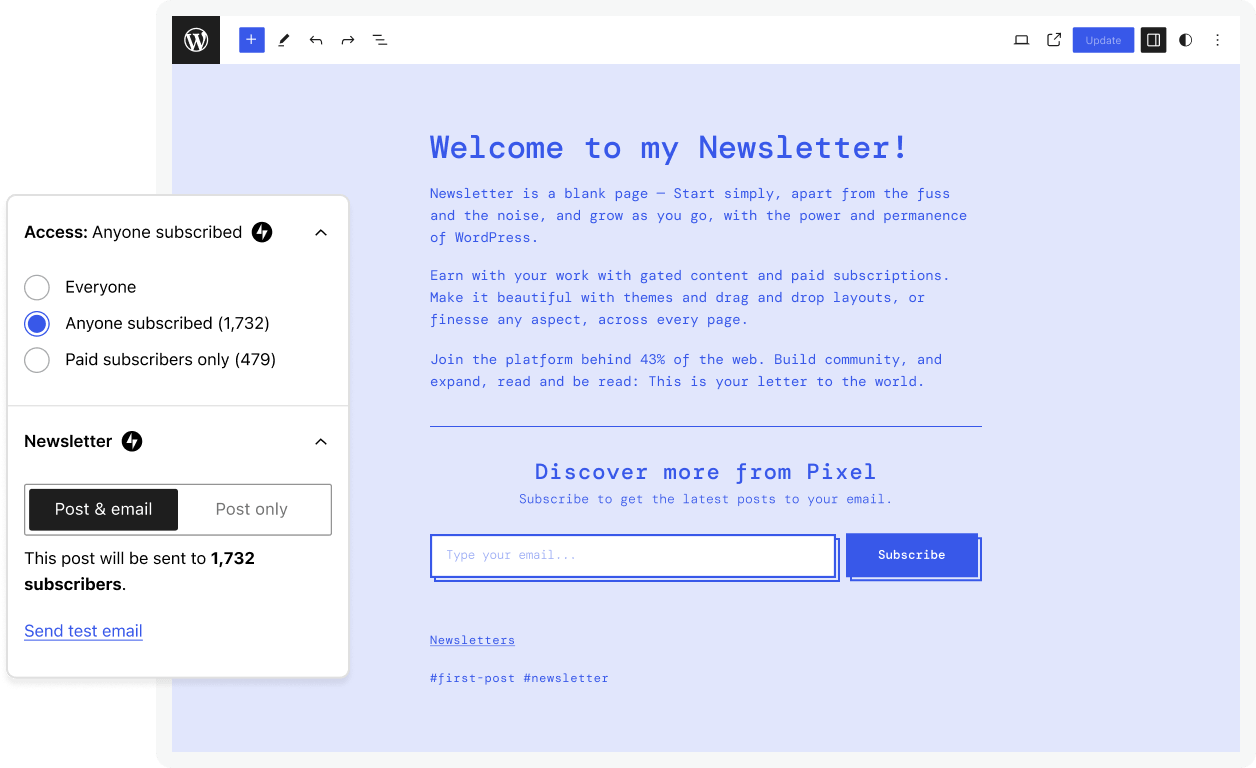
Today, WordPress.com lets publishers offer paid subscriptions and premium content, even on the free plan. As newsletters grow, creators can upgrade to paid plans to reduce subscription transaction fees. These low fees position WordPress as a strong Substack competitor.
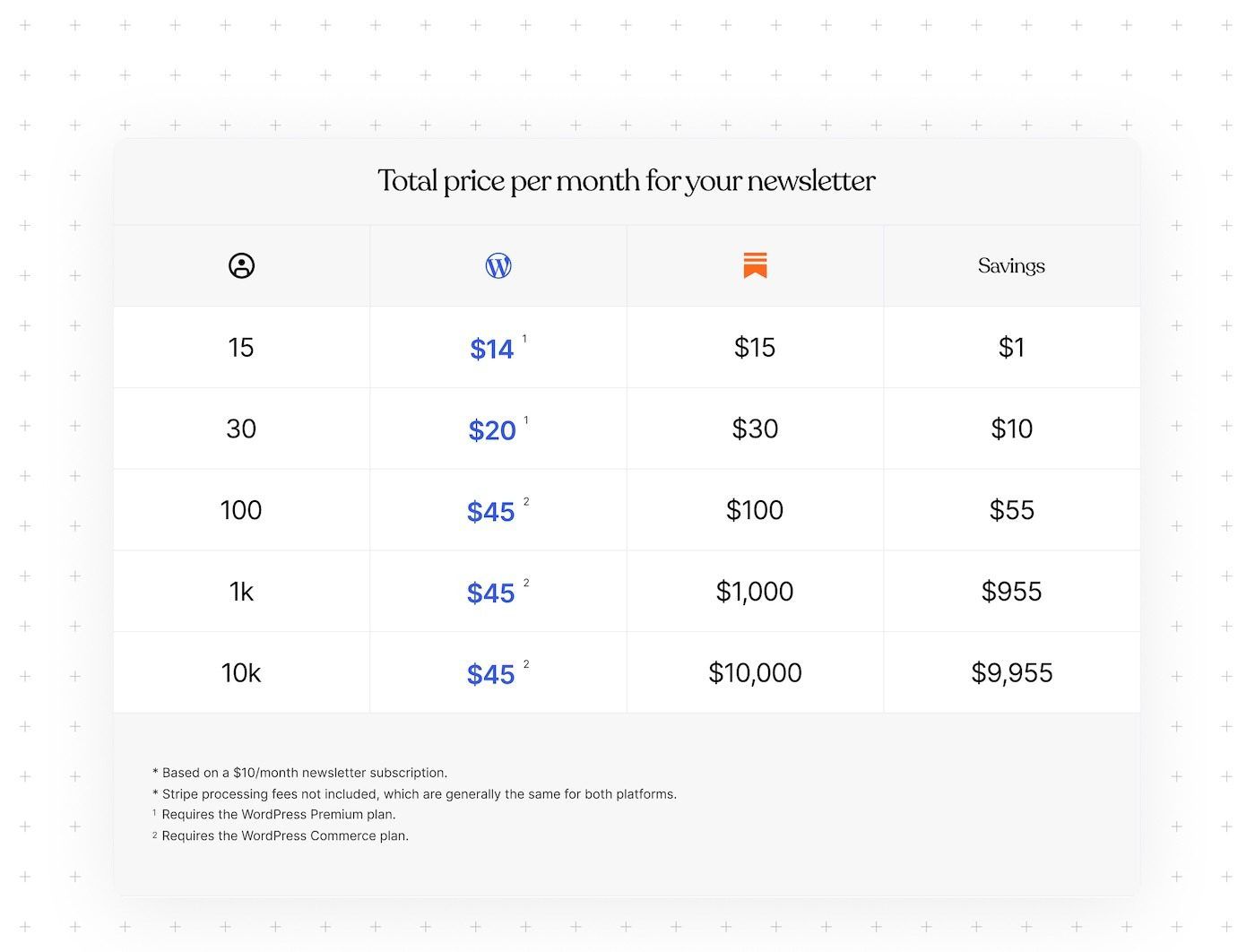
WordPress’s key advantage over Substack? More flexibility and a bigger share of revenue. Substack charges a 10% fee on paid subscriptions, while WordPress’s Commerce plan takes 0%. Plus, your WordPress newsletter lives on your site, giving you complete ownership over your content and audience.
Introduction to WordPress Newsletter
Every WordPress.com site now includes Newsletter by default.
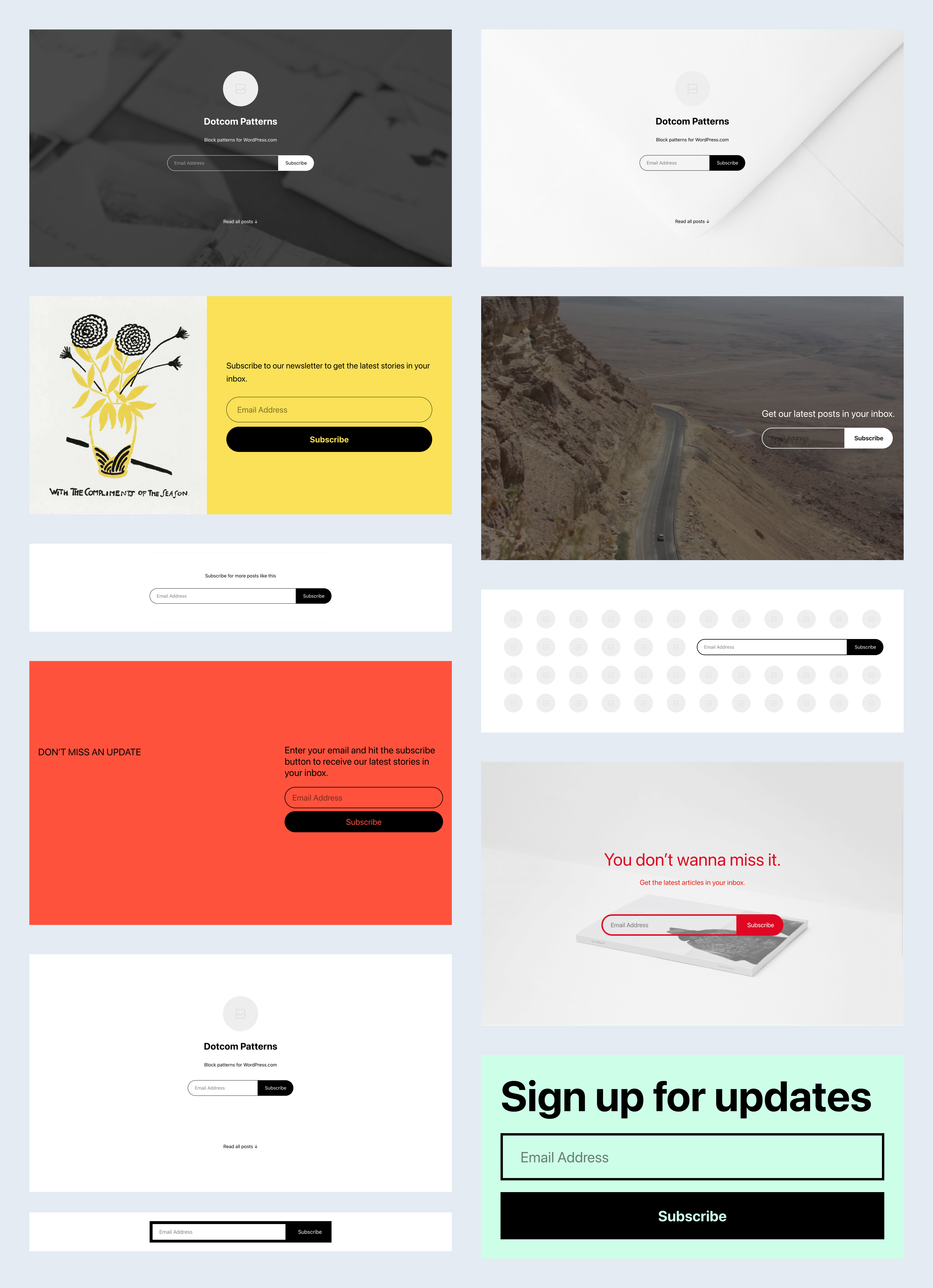
This is WordPress's built-in newsletter tool, which lets you automatically send new posts via email to subscribers. If you already have a site on WordPress.com, setting it up is as simple as adding a subscribe block.
Readers who subscribe by email will be notified whenever you publish new posts. Like Substack, you click a button to share blogs with email subscribers.
If you don’t already have a WordPress.com site, you can still use Newsletter. The free plan lets you import up to 100 subscribers, while people who subscribe directly through your site are unlimited. Upgrade to a paid plan to import larger subscriber lists and unlock additional features like premium designs and more detailed analytics.
Comparing Substack vs WordPress Newsletters
The biggest difference between Substack and WordPress Newsletter is pricing.
Substack is free to start and has no sending limits. They charge a 10% fee on paid subscriptions.
WordPress also includes unlimited newsletter sending on every plan, including Free. Where its pricing differs most is in transaction fees for paid subscriptions: WordPress charges 10% on the Free plan, with that fee dropping as you upgrade and reaching 0% on the Commerce plan. This savings potential can be significant for writers with large paid followings.
Beyond pricing, here are a few other ways the platforms compare:
| Feature | WordPress | Substack |
|---|---|---|
| Unlimited Sending | ✅Free | ✅Free |
| Unlimited Subscribers | ✅Free* | ✅ Free |
| Custom Domains | ✅ Paid only | ✅ Paid only |
| Design Flexibility | Medium | ❌ Limited |
| Paid Subscriptions | ✅ Built in | ✅ Built in |
| Ecomm Integration | ✅ WooCommerce | ❌ Unavailable |
| Public API | ✅ Yes | ❌ Unavailable |
| Audience Ownership | ✅ Full | Shared w/Substack |
| Advanced Reports | ✅ w/Analytics | ❌ Unavailable |
| Key Strengths | Flexibility + fewer fees | Easy, intuitive solution |
*The WordPress.com Free plan limits subscriber imports to 100. Subscribers who sign up directly through your site are unlimited.
Why some creators are rethinking Substack
Substack has helped thousands of creators grow, but it’s not perfect. Here are a few reasons some writers are looking for alternatives.
Lack of audience ownership
Although you can download your subscriber list from Substack, you can't take your whole audience (also known as followers) with you if you decide to migrate.
Former Substacker Tyler Bainbridge shared, "There’s been a huge push for newsletter writers to make use of Substack’s app-specific features such as Chat, Notes, and Live Video, which are great for generating followers but not necessarily subscribers. The problem is, you don’t own your followers, and you can’t export them along with your subscribers if you ever decide to move elsewhere."
Substack's costs
Substack charges no fees unless you monetize—then it takes a 10% cut of paid subscriptions.
While 10% may not seem like much initially, the costs add up significantly as the paid subscriber count increases.
"As your paid subscriber base grows, your monthly cut to Substack grows with it. When your subscription revenues hit $25,000, or $50,000, or $100,000, you may start asking: Is it still worth it to stay on Substack, or should I move elsewhere? Could I get a set of features similar to Substack’s and save some money?"
-Dan Oshinsky, What's the right ESP for your indie newsletter?
Substack's shift toward social tools
For many, the appeal of newsletters lies in their escape from algorithm-driven feeds. However, Substack has pivoted toward becoming a social media platform, adding TikTok-style video, Twitter-esque news feeds, followers, streams, and more.
While some welcome these tools for improving discovery and community engagement, critics see it as mission drift. Ryan Broderick, author of Garbage Day, wrote in his farewell post: “Substack has insisted on adding more social features over the last three years, instead of making their email product better, which is still missing tons of pretty basic features."
How to move your Substack to WordPress (step-by-step)
Switching is as simple as downloading your data from Substack (subscribers and content) and uploading everything to WordPress.
How it works:
- Open your WordPress.com admin page and go to Import.
- Click Import from Substack.
- Enter your Substack URL.
- Export your post archives from Substack and optionally load them into WordPress.
- Export all subscribers from Substack and load the CSV file into WordPress.
- If you have paid subscribers in Substack, click Connect Stripe to migrate them. Be sure to use the same Stripe account and set up the same payment tiers.
That’s it! From there, you can customize your newsletter design and preferences and double-check subscribers to ensure everyone ported over correctly.
Final thoughts: Is WordPress Newsletter worth it?
What I liked:
It was easy to import content and publish posts in a newsletter format—very Substack-like. WordPress’s import tool made it simple to move over posts and even paid subscribers from Substack. I also liked the range of newsletter signup form templates that outshone Substack's basic forms.
The posting process felt familiar and intuitive. Like Substack, you write your post and choose whether to publish it online, send it to your subscribers, or both. The newsletter templates themselves were pretty barebones (again, like Substack), but WordPress offered more flexibility elsewhere.
What I didn’t like:
The pricing structure was a bit murky. I had to dig around to understand exactly what the Free plan included—especially the distinction between imported subscribers and people who subscribe directly through your site. The Free plan only lets you import up to 100 subscribers, but there’s no limit on subscribers who sign up through your site, and newsletter sending is unlimited.
Comparing WordPress’s paid plans with Substack still takes some math, particularly if you offer paid subscriptions. Since newsletter sending and on-site subscriber growth are unlimited even on the Free plan, the main reasons to upgrade are features, larger subscriber imports, and lower transaction fees on paid subscriptions.
The verdict on WordPress Newsletter
WordPress Newsletter is a strong Substack alternative with more flexibility and much lower fees (depending on your WP plan). It’s a great fit for writers who’ve outgrown Substack and want to keep more of their premium subscription income while unlocking more advanced features.
As an emerging Substack competitor, WordPress is still ramping up its email tools, so it’ll be interesting to watch how the platform evolves.
But for now, if you’re interested in testing a newsletter toolset from one of the web’s most reliable content platforms, you should go for it.
Ready to grow your newsletter revenue with ads?
With Paved, advertisers come to you. Create a free profile, land sponsorships, and get paid with every send. Now compatible with WordPress Newsletter. Sign up today to see how simple email advertising can be.
WordPress Newsletter FAQs
Do I need a plugin to send newsletters on WordPress?
No, WordPress Newsletter functionality is now included in all WordPress.com plans—even free. No plugin is required. To use Newsletter, add a subscribe block to your posts.
How much does WordPress Newsletter cost?
WordPress Newsletter is included in all WordPress.com plans, including Free, with unlimited newsletter sending and no limit on the number of people who can subscribe directly through your site. The Free plan does limit subscriber imports to 100; importing a larger existing audience requires a paid plan.
Here’s a quick breakdown of WordPress Newsletter's cost, based on monthly plans as of 2025:
| Free | Personal | Premium | Business | Commerce | |
|---|---|---|---|---|---|
| Monthly price | $0 | $9 | $18 | $40 | $70 |
| Built-in newsletters | ✅ | ✅ | ✅ | ✅ | ✅ |
| Paid subscribers and content gating | ✅ | ✅ | ✅ | ✅ | ✅ |
| Subscriber import limit | 100 | Unlimited | Unlimited | Unlimited | Unlimited |
| Unlimited on-site subscribers | ✅ | ✅ | ✅ | ✅ | ✅ |
| Transaction fee for paid subscribers | 10% | 8% | 4% | 2% | 0% |
Do WordPress newsletters support monetization like Substack?
Yes. There are several ways to monetize your content on WordPress Newsletter. You can charge for paid subscriptions, run sponsorships with Paved, activate a tip jar, or start an online merch store on WooCommerce.
Does WordPress Newsletter have built-in sponsorship functionality like Beehiiv?
No, but just like Substack, WordPress operators can insert ads into their newsletters with 3rd-party sponsorship tools like Paved.
How many subscribers can I have on the WordPress.com Free plan?
There’s no limit on the number of people who can subscribe directly through your WordPress.com site, and you can send newsletters to all of them on the Free plan. However, the Free plan limits imported subscriber lists to 100 contacts. If you’re migrating a larger existing list from another newsletter platform, you’ll need a paid WordPress.com plan to import everyone. To upgrade, go to https://wordpress.com/plans/.
How much of a cut does WordPress take on paid subscriptions?
WordPress uses a tiered system to determine subscription payment fees. The higher the tier, the lower the fees.
| WordPress Plan | Fee |
|---|---|
| Free | 10% |
| Personal | 8% |
| Premium | 4% |
| Business | 2% |
| Commerce | 0% |
Does WordPress Newsletter work with WordPress.org?
No, the built-in newsletter toolset is available on WordPress.com only. If you want to send emails from WordPress.org, you’ll need to use a newsletter plugin.