Transactional emails are the hidden gems of many email marketing campaigns. They increase open rates and engagements, create opportunities for cross-selling, and build customer relationships.
Yet, many businesses don't make the most of this email communication. Most enterprises see transactional emails as only what the name implies: transactional. When they send an order receipt or shipping confirmation, they fail to see the opportunity to achieve more.
However, every email interaction with a customer is a chance to promote your brand — including transactional emails. So, while they may lack the fancy design or photography associated with other marketing emails, they are just as effective.
In this article, we will explore nine tips to help you get the most out of your transactional emails so that you can convert more customers.
What is a Transactional Email?
A transactional email is an automatic, system-triggered communication sent to a recipient following a specific transaction or event.
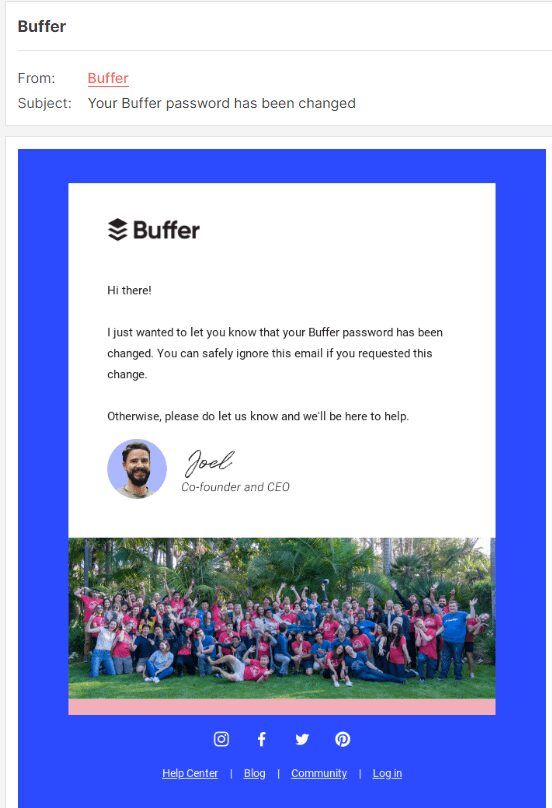
Unlike promotional emails, which are bulk messages intended to market a product or service, transactional emails are personalized and typically contain information that the recipient needs or expects. This can include order confirmations, shipping notifications, password resets, account updates, and more.
9 Transactional Email Best Practices
Because recipients expect to receive them, transactional emails have an open rate of 80-85%. That means there is a huge opportunity to engage and convert your audience.
To leverage the full potential of transactional emails, consider the following strategies:
1. Write clear and concise subject lines and pre-headers
The difference between a transactional and a marketing email is that the recipient already expects a transactional email. So, let your subject line and pre-header be straight to the point. Ensure your subject line is relevant to the recipient’s expectation.
To accomplish this, refer to the specific action they have or need to take, as in the example below.

Leap sent this email to inform the recipient that they are unable to renew their subscription again. Then, the brand goes further in the pre-header to give the receiver a clue about why the renewal was unsuccessful, revealing that they could not charge their card.
Pro tip: Keep your subject line brief, and avoid including dates or company names. In addition, your pre-header should be between 80-100 characters to fit a wider range of devices.
2. Follow legal regulations and guidelines
Recipients don’t need to give consent before receiving transactional emails since they are for necessary business purposes. That means even if a customer doesn’t check the box that says “Yes! Add me to your mailing list” during checkout, you can still send them transactional emails.
According to the law, the email has to be mainly transactional. Under the US CAN-SPAM law, you can include some promotional content as long as the primary content is transactional. However, in other jurisdictions, such as Europe, such emails can’t contain any promotional content.
Therefore, consider the rules of your customer’s countries before sending transactional emails. In the same way you have to familiarize yourself with the regulations for exempt versus nonexempt employees, you could do it for emails. If there is any vagueness, consult a lawyer to ensure you are compliant with the laws.
If you want to get innovative, consider segmenting your transactional emails. Send one version to US-based customers with leeway for promotional content and a different version to international customers with strict laws.
3. Allow people to manage their email preferences
Although you don’t need consent to send transactional emails, recipients need to control whether they keep receiving them and how frequently. For example, some customers may not always want to receive emails about their expiring subscription. In that case, they would appreciate the ability to opt out of such messages.
Allow recipients to manage their notifications and unsubscribe. This way, their inboxes can be clutter-free, reserving it for more important messages. Also, it reduces the chances of them marking your email as spam.
Macy’s adopted this transactional email best practice with this double opt-in email.
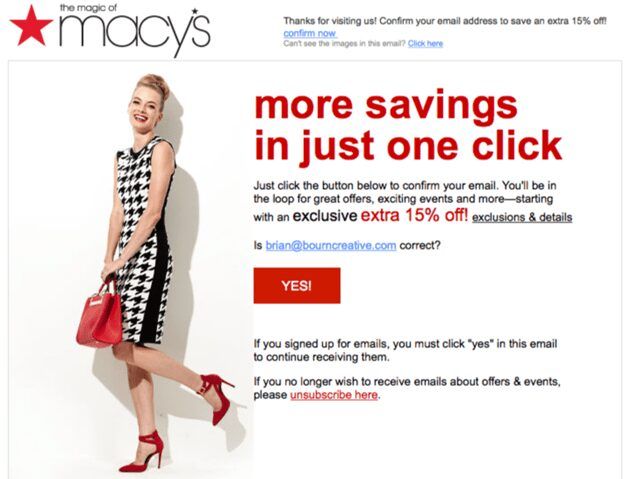
The email asks the recipient to confirm their subscription to Macy’s email list. However, they also provide an option for users to unsubscribe if they want. This level of control enhances the sender-recipient relationship because it shows you respect their preferences.
4. Customize content for recipients
Personalization is one of the main benefits of email marketing, so take advantage of it. A personalized message speaks directly to your subscribers and shows how much you value them.
One way to tailor your transactional email is to include the customer’s name in the salutation to make the message feel personal. Then, reference the action taken by the user that triggered the email. For example, if it is a password reset, mention it.
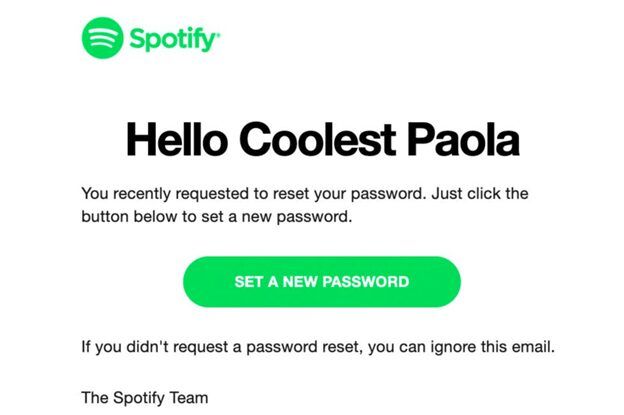
For instance, in this Spotify Password Reset email, the recipient is greeted in a friendly manner, and the preceding text mentions the password reset request.
Surveys, call center data analysis, and website analytics are among the resources that can give you the necessary information to customize users' transactional email experience.
For example, with call center data, you can understand customers' confusion or frustrations post-purchase. Then, use that information to create helpful instructions or FAQs you send with your “Thank You for Your Purchase” email.
5. Avoid No-reply email addresses
How many times have you received an order confirmation email that has “No-reply” as part of the sender’s address? Some of these messages even include, “This is a system-generated email, and replies to this address are not monitored.”
It can be frustrating.
Unfortunately, it is the standard today, and you probably also do it.
Many businesses engage in this practice to prevent customers from flooding their inboxes. The problem is that it leads to a poor customer experience.
After a purchase or sign-up, customers may have questions. But when there is no way to reach you, they become frustrated. It can also negatively impact your deliverability because many spam filters are designed to filter out messages from no-reply or do-not-reply addresses. As a result, your email can end up in the spam folder.
So, ensure two-way communication with transactional emails by using a real email address or adding a “contact us” link in the email.
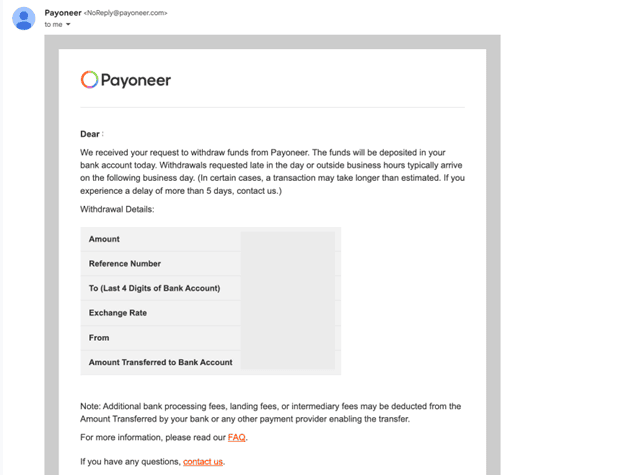
Payoneer used a no-reply email address in this withdrawal confirmation email. But they included a Contact Us link at the end of the message. If the recipient has questions, they can click the link and reach out to customer support.
6. Create subdomains for transactional emails
The great thing about email marketing is that it gives you access. But that access can be quickly revoked if your email ends up in the spam folder. This is a likelihood with promotional or outreach emails. Send them too frequently or less frequently, and it can hurt your deliverability.
That’s why your promotional and transactional emails should have their dedicated subdomains. This separation helps maintain the sender’s reputation and monitor performance.
Even when your marketing emails don’t make it to the recipient’s inbox, your transactional emails won’t have such issues.
Another way to improve deliverability is by investing in a reputable domain, such as a .io domain. Now, domain extensions don’t have as much impact as IP address reputation and configuration. But they affect how email providers see your emails. So, that’s something to keep in mind.
7. Optimize for mobile
According to research, 50%-60% of emails are opened on mobile devices. This makes sense because mobile devices are accessible. It also means you need to design your transactional emails to be mobile-responsive.
If your emails aren’t mobile-optimized, they may display incorrectly, making it challenging for the user to read and engage with the content. As a result, your email open and click-through rates will decrease.
When crafting your email, ensure desktop and mobile users can view and interact with the content without issues. Email marketing platforms like Hubspot and Mailchimp offer features to help you create responsive emails easily.
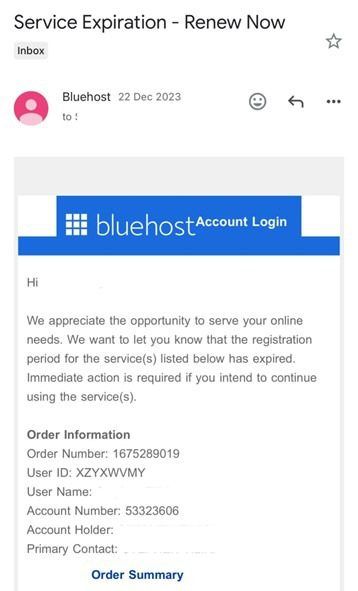
For example, look at the mobile version of this Service Expiration email from Bluehost. The font is legible, and you can see all the information without zooming in.
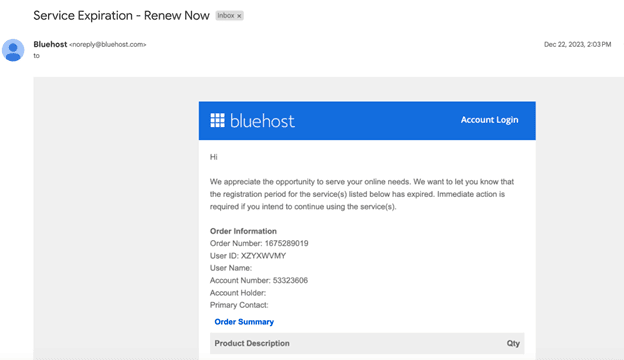
Here’s the same email on a desktop. It is still legible and well-organized, maintaining a consistent layout with the mobile version.
8. Provide a clear call-to-action (CTA)
Sometimes, customers need a nudge in the right direction, whether to confirm a subscription or complete an account setup. If you hide those CTAs in the main content of your email, they might be overlooked. That’s why you need to use CTAs that are clear and strategically placed to guide recipients to take your desired action.
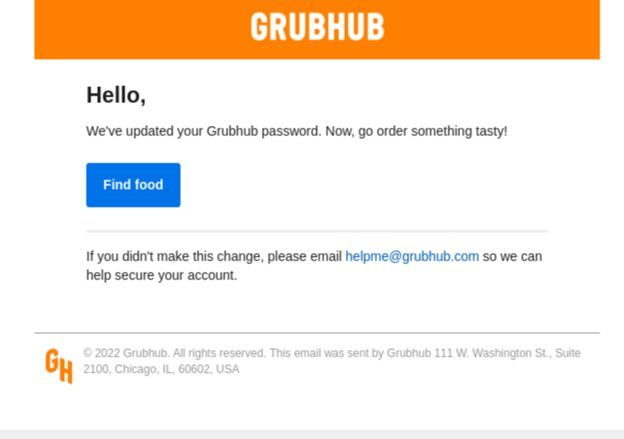
Grubhub did an excellent job with their CTA in this Password Reset email by creatively asking the recipient to order food. That’s the benefit of a well-executed transactional email. Brands can subtly guide users toward their products or services.
9. Test and analyze email performance and metrics
If you have followed the transactional email best practices we have shared so far, congratulations! You are one step closer to converting more customers.
Now, you have to monitor the performance and metrics of your emails.
Regularly review the delivery statistics of your transactional emails to ensure they are getting to your customers’ inboxes.
Use reliable email marketing software to track vital metrics such as open rate, bounce rate, and engagement rate.
This would help you understand how your emails are performing. Then, you can decide between insourcing or outsourcing your email marketing activities.
Both have benefits and drawbacks. For instance, with insourcing, you have more control over your brand messaging and customer data. However, you may miss out on the expertise that comes with outsourcing to a specialist agency.
Final thoughts on transactional email
Many businesses underrate the ability of transactional emails to boost conversions. They treat them as a mere transactional tool rather than a marketing asset.
Yet, transactional emails can enhance the customer experience and boost retention.
When you send a timely acknowledgment of the transaction your customers make, you build trust and credibility. Trustworthy brands have happy customers — and happy customers are returning customers.
To make the most of your transactional emails, follow the best practices in this article and watch your customer engagement and loyalty grow.