When you start advertising in your email newsletter, the first thing advertisers will ask for is your media kit. But if you’re just getting started, their request will probably just leave you wondering what exactly that is and how to make one.
The Paved team is here to help.
We know how important a great media kit is when you’re looking for advertising partners. That’s why we’ve made it easier than ever to create a media kit, full of all the elements you need to create a well-rounded look at your email newsletter.
Just sign up for Paved and follow along to see how to create your media kit the easy way.
Elements of a Great Email Advertising Media Kit
If you’re going to create a media kit, you’ll want to ensure you have your bases covered with all of the information advertisers need when deciding whether to work with you.
Every good media kit starts with a description of your newsletter. Talk about the topics you cover, when you got started, and some of your most popular topics or editions. Which articles get clicked? What are the defining interests among your audience? These are the kind of basics that are perfect for introducing your audience to an advertiser who may not have heard of you before.
Then, you’ll want to dig into all the email metrics that really matter to advertisers. That means your list size, open rates, and click rates. Don’t put all your eggs in the list size basket—sharing your stellar open rates and click rates can help show the quality of your list even if it isn’t massive.
If your open and click rates aren’t where you want them, though, it may be time for a list pruning campaign.
Your marketing metrics aren’t the only numbers that matter to advertisers, though. If you know any demographic information, through surveys or an analysis of your list, be sure to share it with advertisers. Of course, never lie if you don’t know this information, just gracefully leave it out (or sign up for the Paved marketplace, and we’ll figure it out for you).
Your media kit can also include sample newsletters or a list of topics you cover. Share the verticals you publish content in, or a list of your most popular blog posts, to round out the picture of your list that you’re giving advertisers.
Finally, share your newsletter advertising rates. While it can be intimidating to know how to set your email advertising rates, it is, of course, crucial information for advertisers to know when they’re debating working with you. If you’re intimidated by setting firm rates, know that most advertisers will be willing to negotiate if your rates aren’t too far off from their target, especially if you have the open and click rates to prove your value.
The Easiest Way to Make Your Media Kit with Paved
While that quick run-through of media kit elements might have been a bit intimidating, at Paved, we’ve made it incredibly easy to create a media kit that has all of these elements. How? Just connect your email service provider to your Paved profile, and we’ll fill in the details for you.
Let’s break it down step by step.
1. Create a Paved profile
To start, you’ll need to create a profile in the Paved marketplace. When you sign up, you’ll be prompted to fill in your page with information about your newsletter, including basic information like your website and your newsletter name.
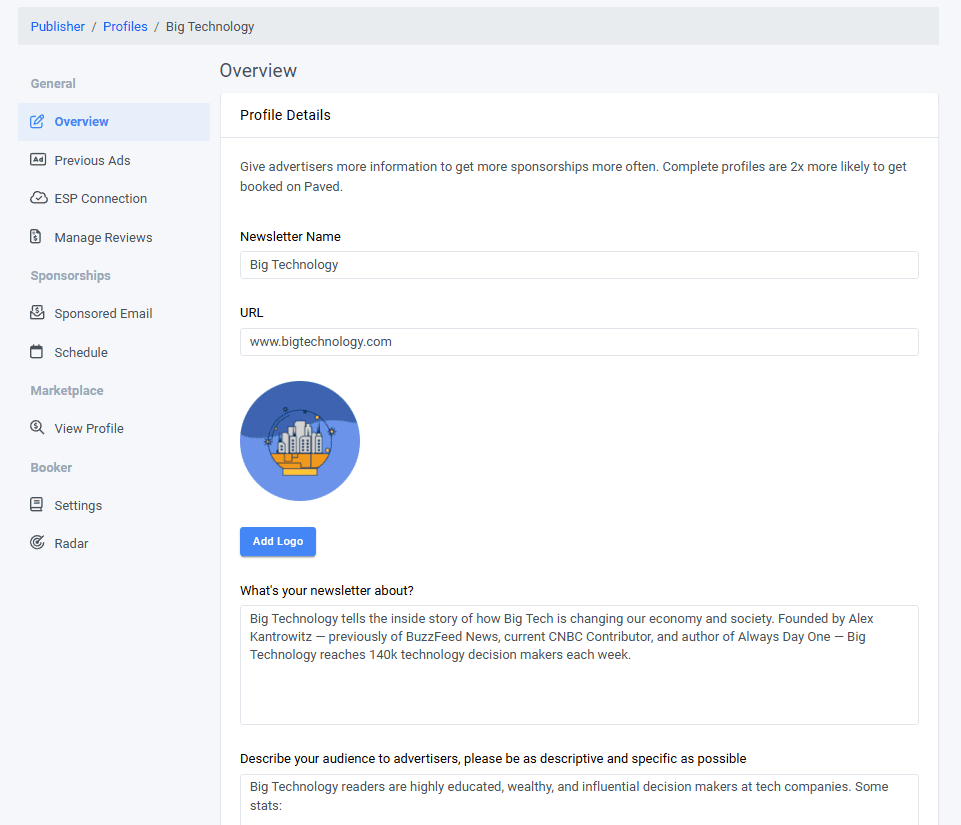
This section will be the foundation of your Paved profile and your media kit.
Fill in your site description and audience description carefully, using the information you know about your readers from your most popular editions, feedback you’ve received, or the way you grew your list.
You’ll also be able to pick a category, which will help advertisers find you in the Paved Marketplace, and select the types of advertisements you’re interested in running on your newsletter.
2. Connect your ESP
You’ll be prompted to fill out additional information about your list, like list size and open rate. But, after you do that, you’ll have the opportunity to connect your email service provider to Paved in order to seamlessly update that information and verify your metrics.
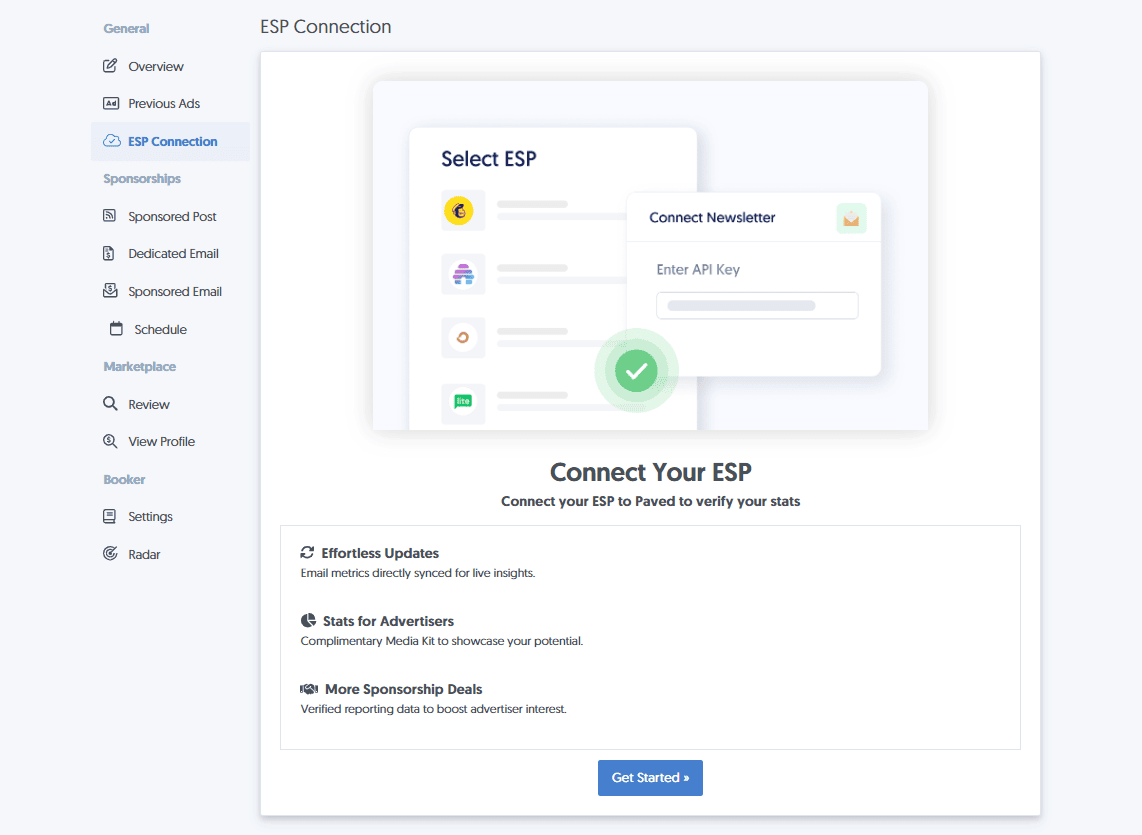
Connecting your ESP is the special sauce that will take your media kit from good to great. We’ve heard from advertisers that having verified metrics to look at is one of the best things about working with the Paved community of publishers.
When you reach the “Connect Your ESP” in the Paved sign-up process, just select the ESP you use, and then log in on the next screen to authorize the connection. Don’t worry, we never store your subscriber data, so your list is safe.
From there, continue filling out details about the types of sponsorships you want to offer. In just a few minutes, you’ll have a well-rounded media kit with always-up-to-date statistics and easy sponsorship booking options for advertisers:
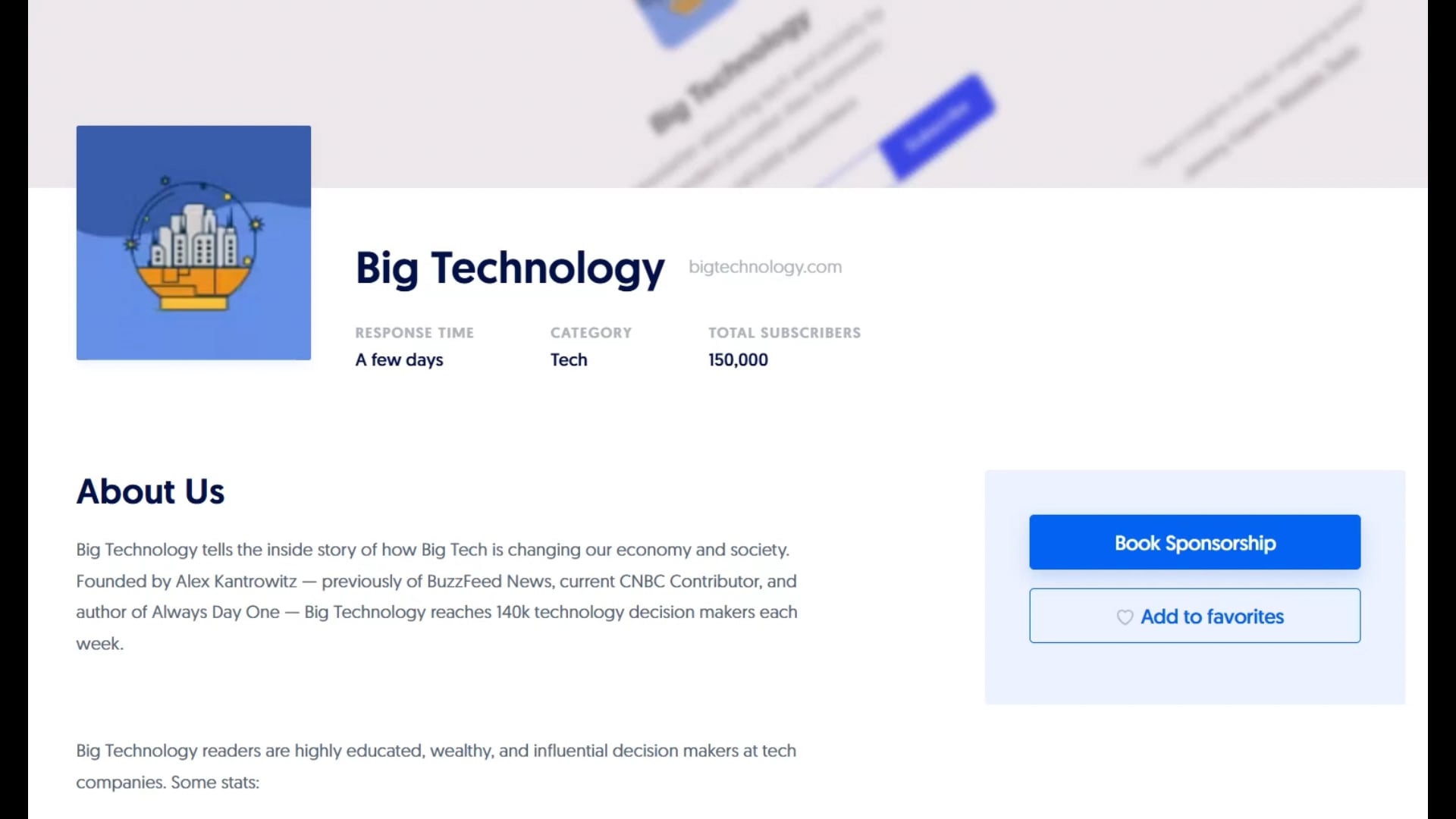
Learn more: How to Create an Eye-Catching Media Kit on Paved
Create Your Media Kit
At Paved, we want to empower publishers to have seamless relationships with advertising partners. That’s why we’ve made it easier than ever to have a great media kit by simply connecting your email service provider to your Paved profile.
Once your completed media kit is live, advertisers will be able to come to you thanks to the power of the Paved marketplace, and you can also share your profile link with prospective advertising partners.
Sign up for Paved today and see how easy newsletter sponsorships can be.