


If you’re like most email marketers and newsletter publishers, you send plenty of emails to Gmail, Yahoo, and Outlook addresses. Over 38% of emails sent worldwide are opened in these 3 email clients. Consequently, some big changes to their email sender guidelines have happened recently, and some new ones are just around the corner.
As of February 2024, both Google and Yahoo introduced new requirements for anyone bulk-sending emails to their addresses. In 2025, Microsoft announced similar bulk sending rules. Failure to comply will likely send your bulk emails straight to spam or get rejected entirely.
In this post, we’ll focus on the latest deliverability best practices to keep your sends out of the spam folder in 2025 and beyond.
What are the new bulk sending requirements?
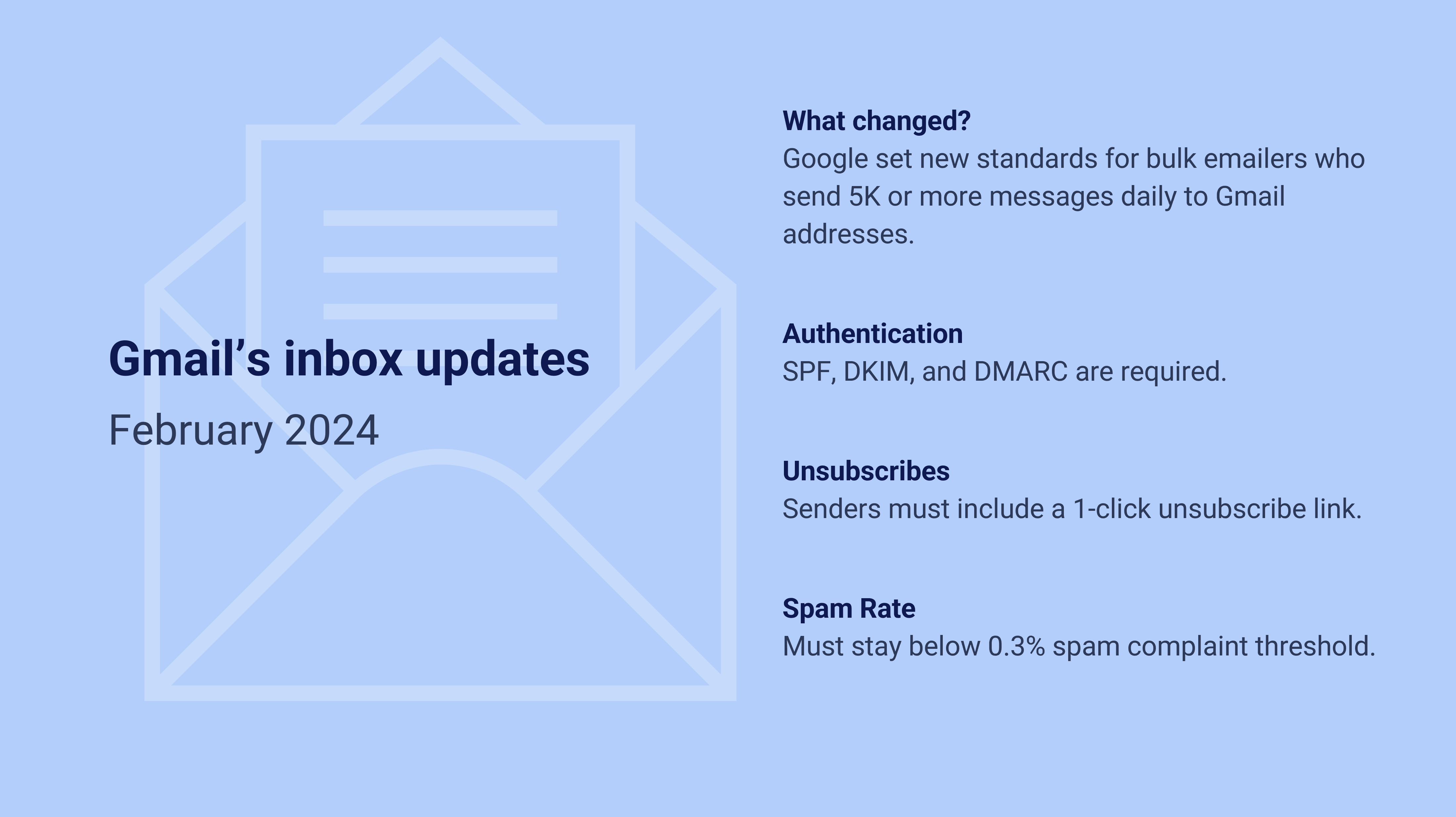
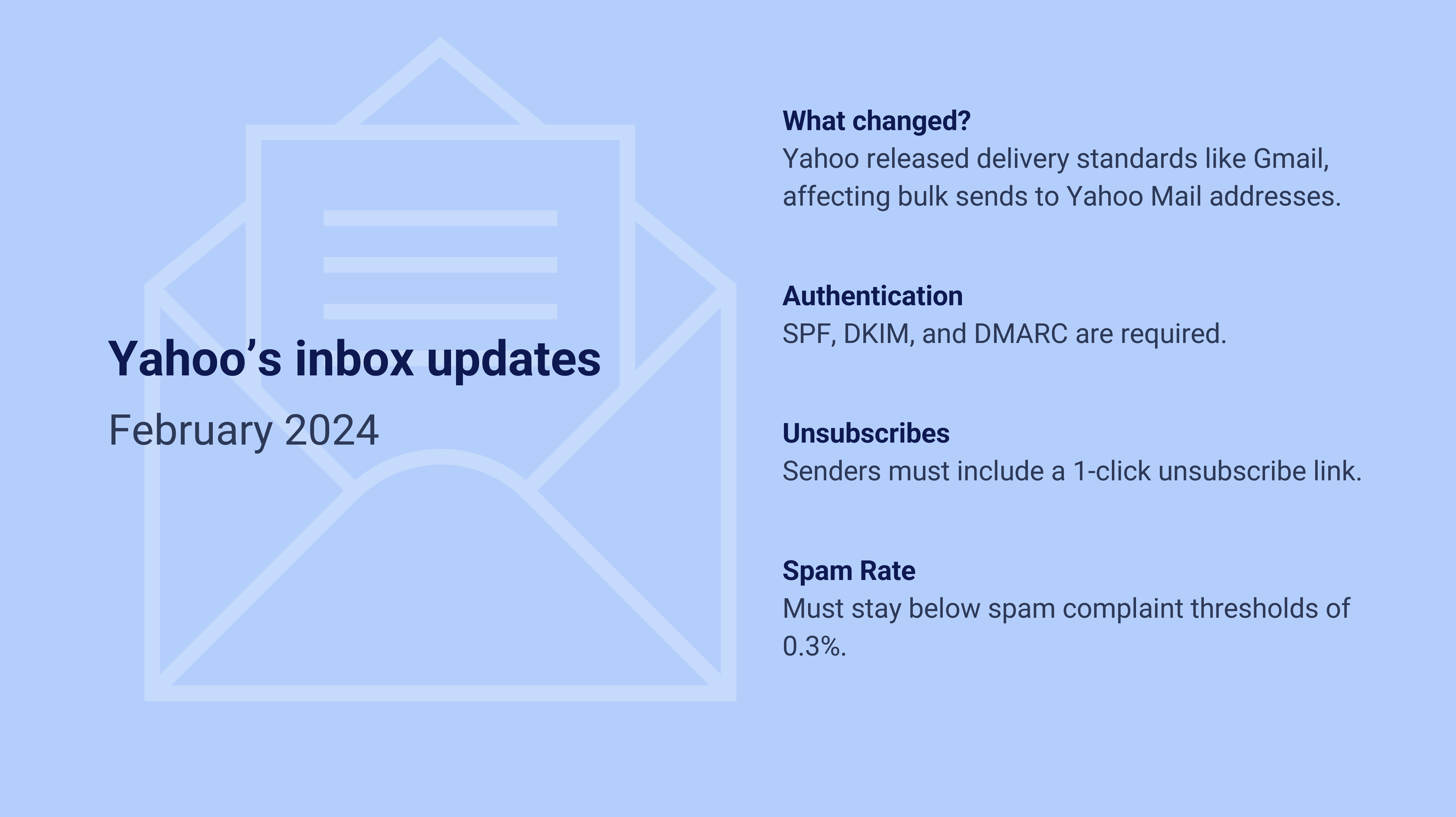
In an effort to keep inboxes more secure and free of unsolicited emails, Google and Yahoo have announced new standards for bulk emailers, and Microsoft has followed suit:
- Enable 1-click unsubscribe
Senders to Yahoo and Gmail addresses must make it easy for recipients to unsubscribe from bulk emails and newsletters with a single click. Microsoft requires “functional unsubscribe links” that are clear and visible. - Only send messages that people want.
For Yahoo and Gmail, spam complaint rates must be kept at .3% or less. Unsolicited messages can easily land you in the spam folder, so it’s crucial to only send emails people want and expect to receive. For Microsoft, there’s no spam complaint threshold, but you’re still required to required to have a clean lists and enforce best practices. - Authenticate your email for bulk sends.
Email authentication is the process of securing and confirming your identity through certificates and encryption. Bulk senders must authenticate emails using protocols with SPF, DKIM, and DMARC.
Who does this affect?
The latest email sender guidelines affect everyone, with a few extra requirements for bulk senders who send more than 5,000 messages a day to Gmail, Yahoo, or Microsoft addresses (including live.com and Outlook).
All three email providers recommend implementing the changes as soon as possible. Even if you’re a smaller sender, we anticipate that following the new requirements (especially 1-click unsubscribe and low spam complaints) will lead to better deliverability.
How do I navigate the Microsoft, Google, and Yahoo bulk sending requirements?
When it comes to the deliverability landscape of 2025, there’s a lot of advice out there. We recommend listening to trusted sources like ESPs, email providers, and email industry professionals.
Microsoft’s announcement
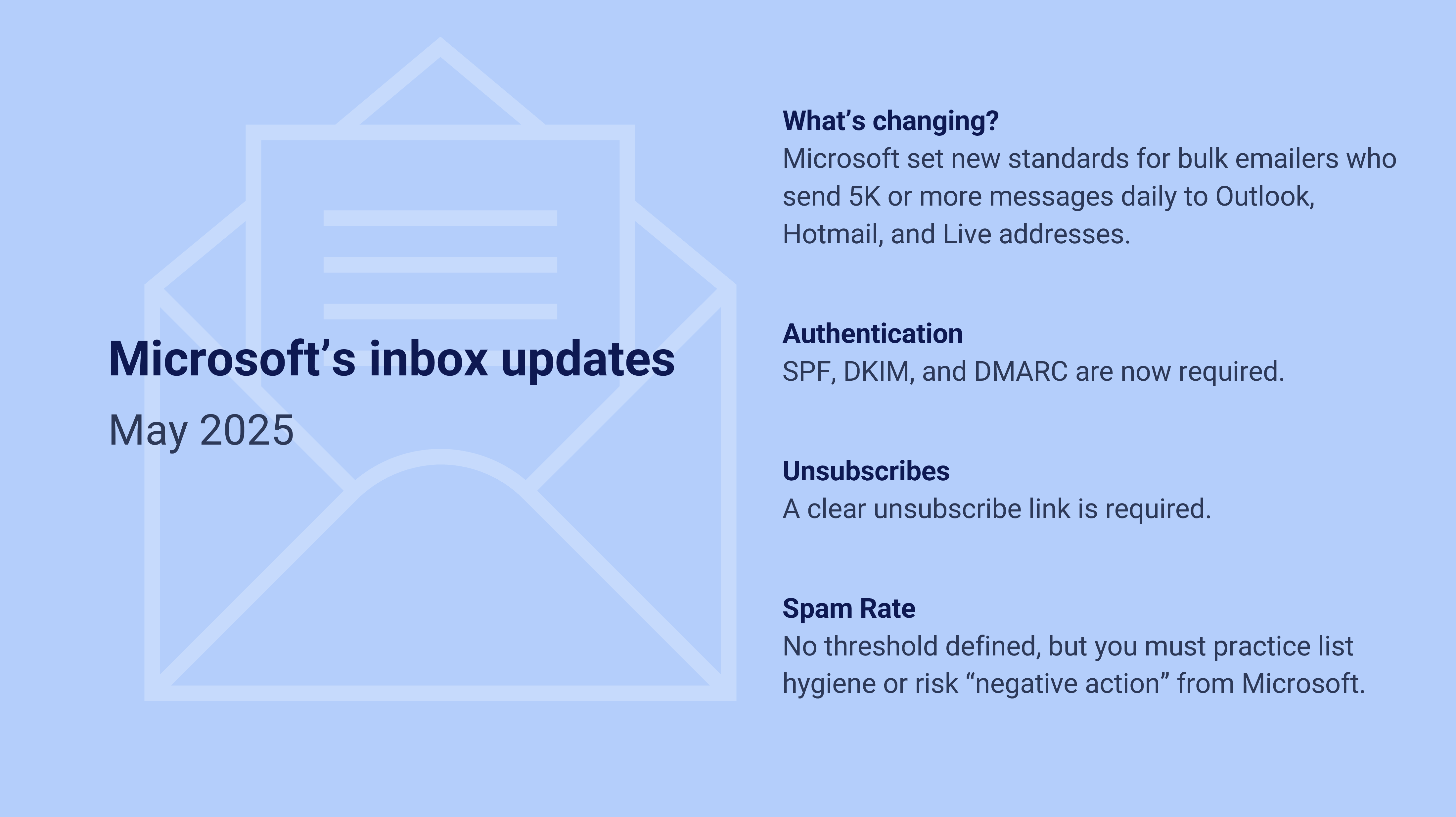
After May 5th, 2025, Outlook will begin routing messages from high-volume non‐compliant domains to the Junk folder. This gives senders an opportunity to address any issues and take the time to get compliant. Later this year, all non-compliant emails will be blocked.
Learn more about Microsoft’s new bulk sending guidelines:
- Strengthening Email Ecosystem: Outlook’s New Requirements for High‐Volume Senders
- Microsoft Enforces SPF, DKIM, DMARC for High-Volume Senders
Google’s announcement
Learn more about Google’s bulk sending guidelines:
Yahoo’s announcement
Learn more about Google’s bulk sending guidelines:
- More Secure, Less Spam: Enforcing Email Standards for a Better Experience
- Yahoo’s Sender Best Practices
Step-by-step tutorials for compliance
Fortunately, many ESPs published helpful guides to help you comply with the new deliverability policies, from setting up the right authentication to avoiding spam filters.
| ESP | 2025 Guides |
| Amazon SES | Bulk Sender Changes: Overview |
| Beehiiv | Understanding the Latest Email Security Mandates |
| Braze | Navigating the Email Landscape |
| Campaign Monitor | Email Authentication Requirements |
| Constant Contact | Email Authentication Guide |
| ConvertKit | New Email Deliverability Rules for 2024 |
| HubSpot | Google and Yahoo Protections |
| Klaviyo | How to Prepare for New Sender Requirements |
| Mailchimp | Set Up Email Domain Authentication |
| Mailerlite | Get Ahead of New Requirements from Google and Yahoo |
| Mailgun | Gmail and Yahoo Protections |
| Sailthru/Marigold | Guide to Google & Yahoo’s New Privacy Protections |
| Sendgrid | New Sending Requirements |
What can I do to improve my list’s health and deliverability?
If you want to get ahead of the game, there’s never been a better time to clean up your list. Here are some actionable steps you can take to improve your deliverability:
- Clean up your email list with list pruning and unsubscribe any inactive subscribers.
- Try an email re-engagement campaign.
- Authenticate your email and implement BIMI.
- Use a real, verified from address and avoid shared domains.
For more deliverability guides, check out these resources from the Paved blog:



 Book Demo